Apeer2’s $680 Mini-ITX case mounts a monitor on the tower, with a 14.6-inch GPU limit, magnetic fan panels and a 10.5-inch depth.
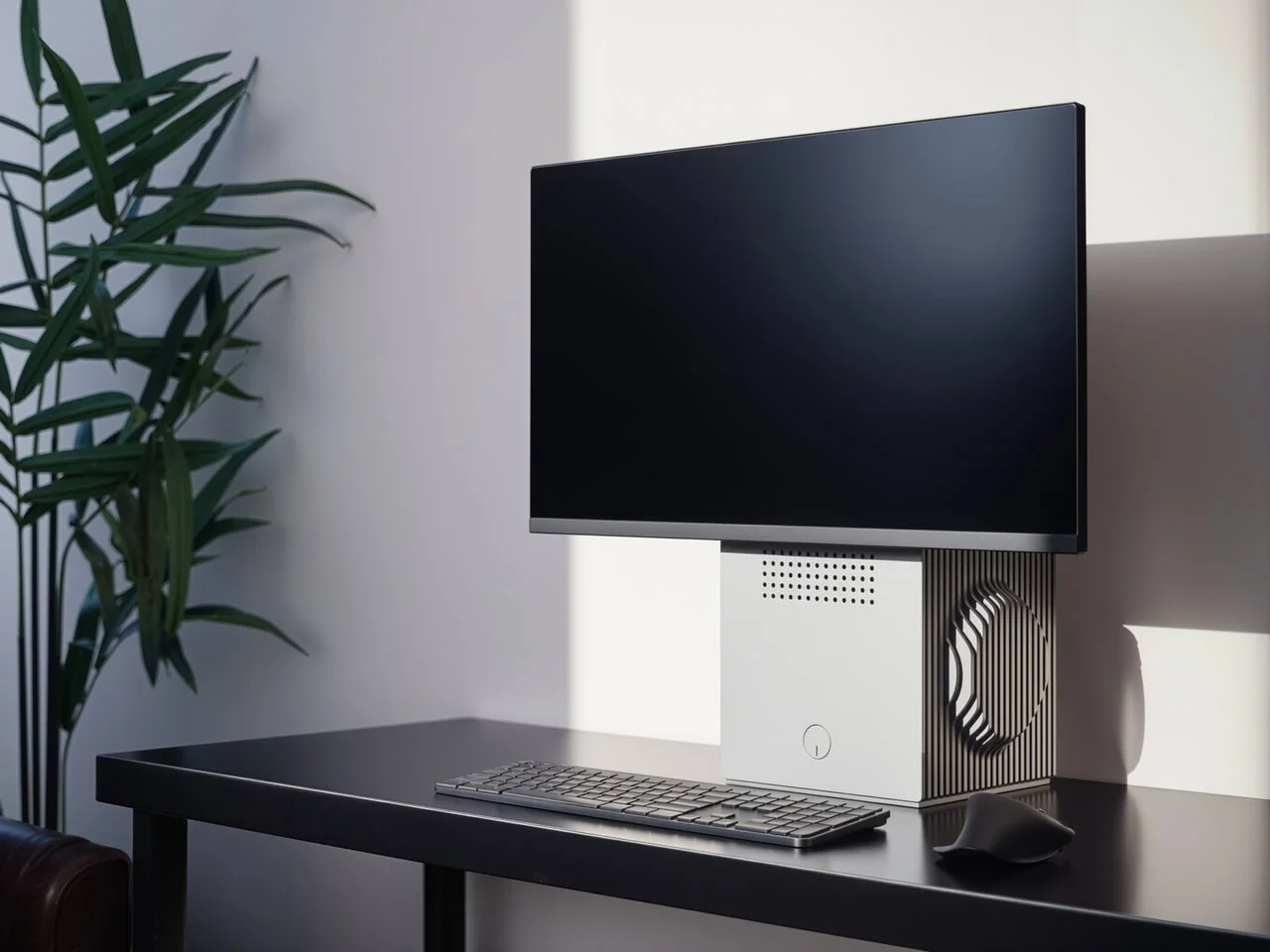
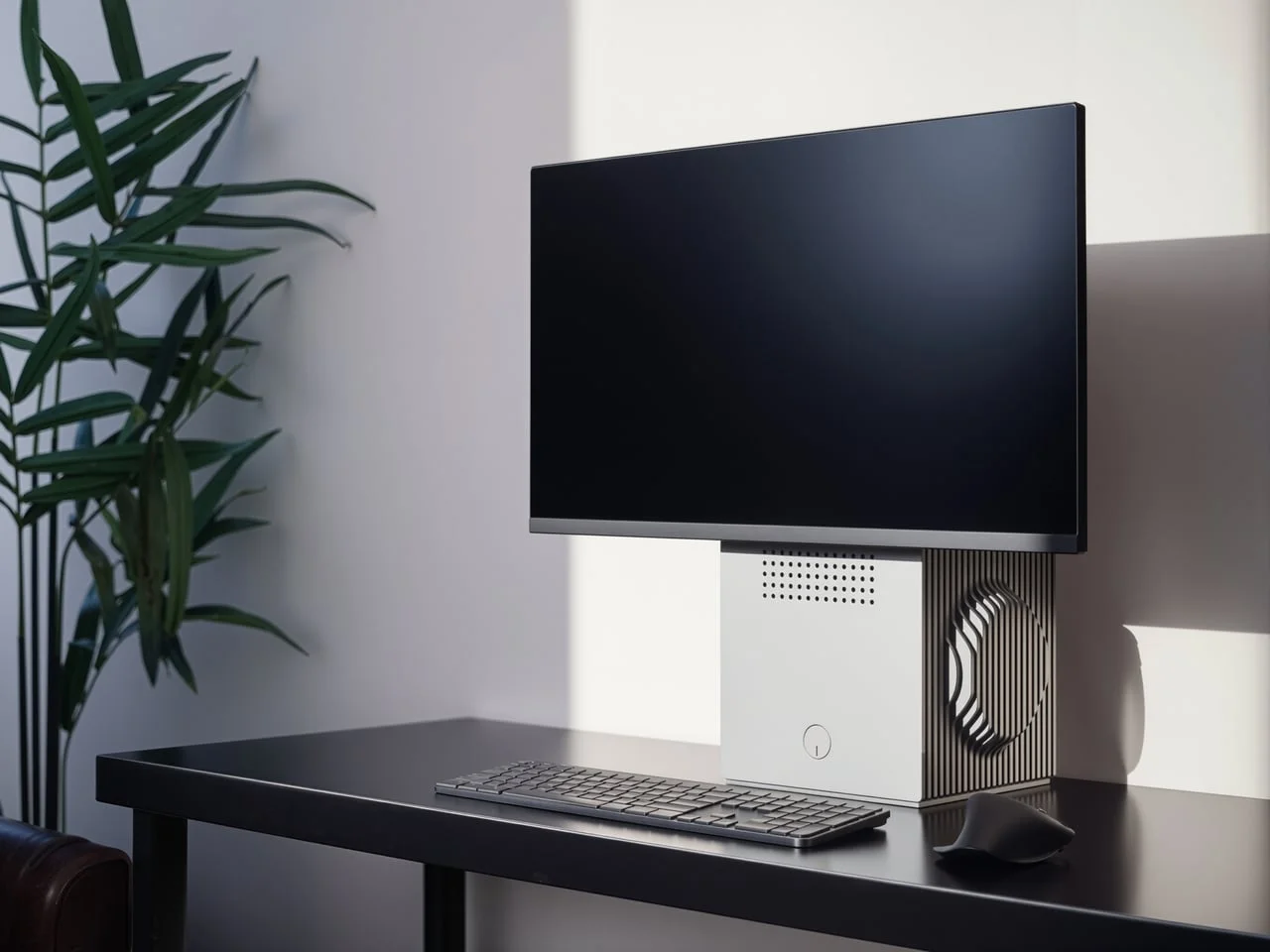
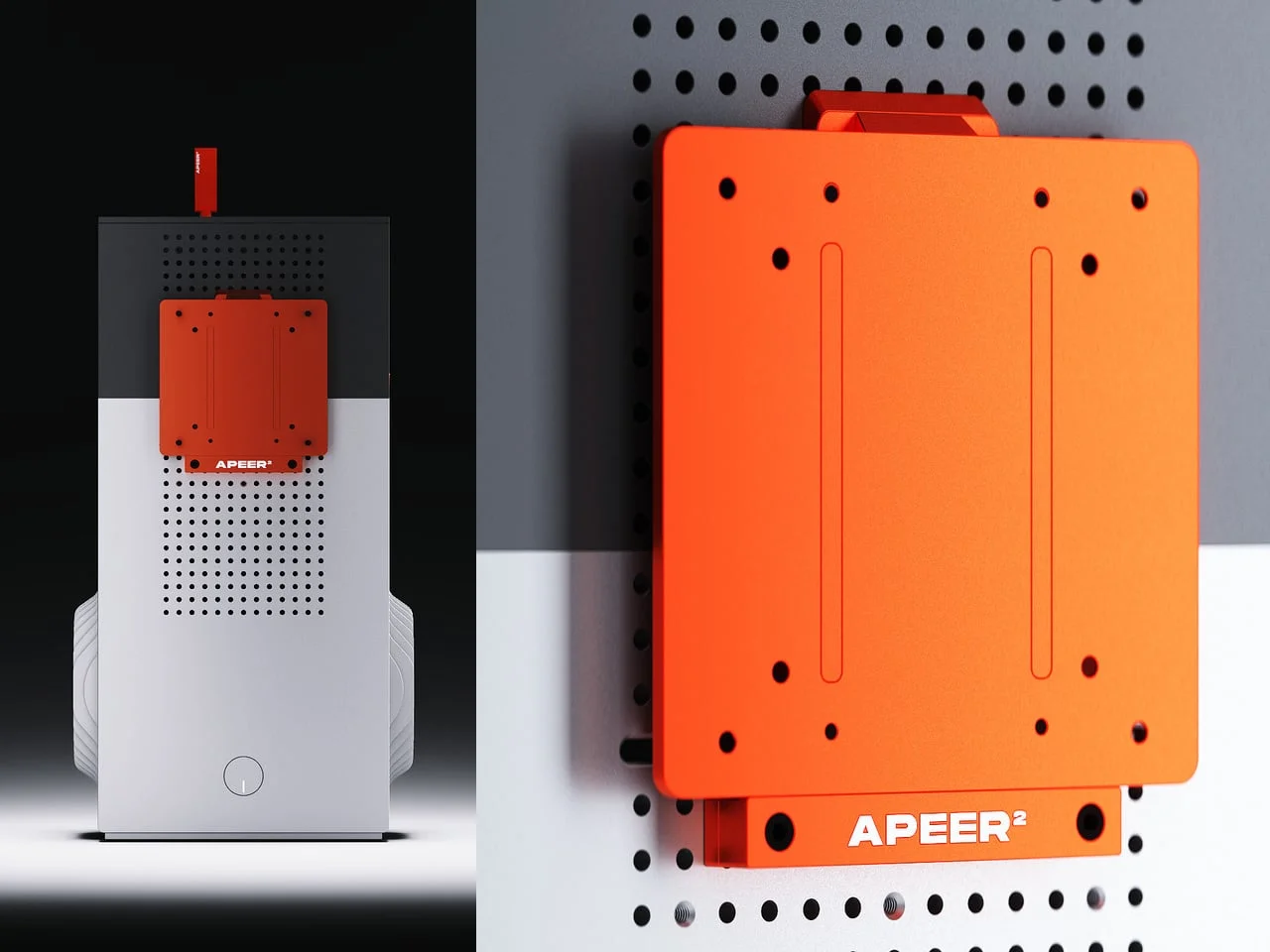
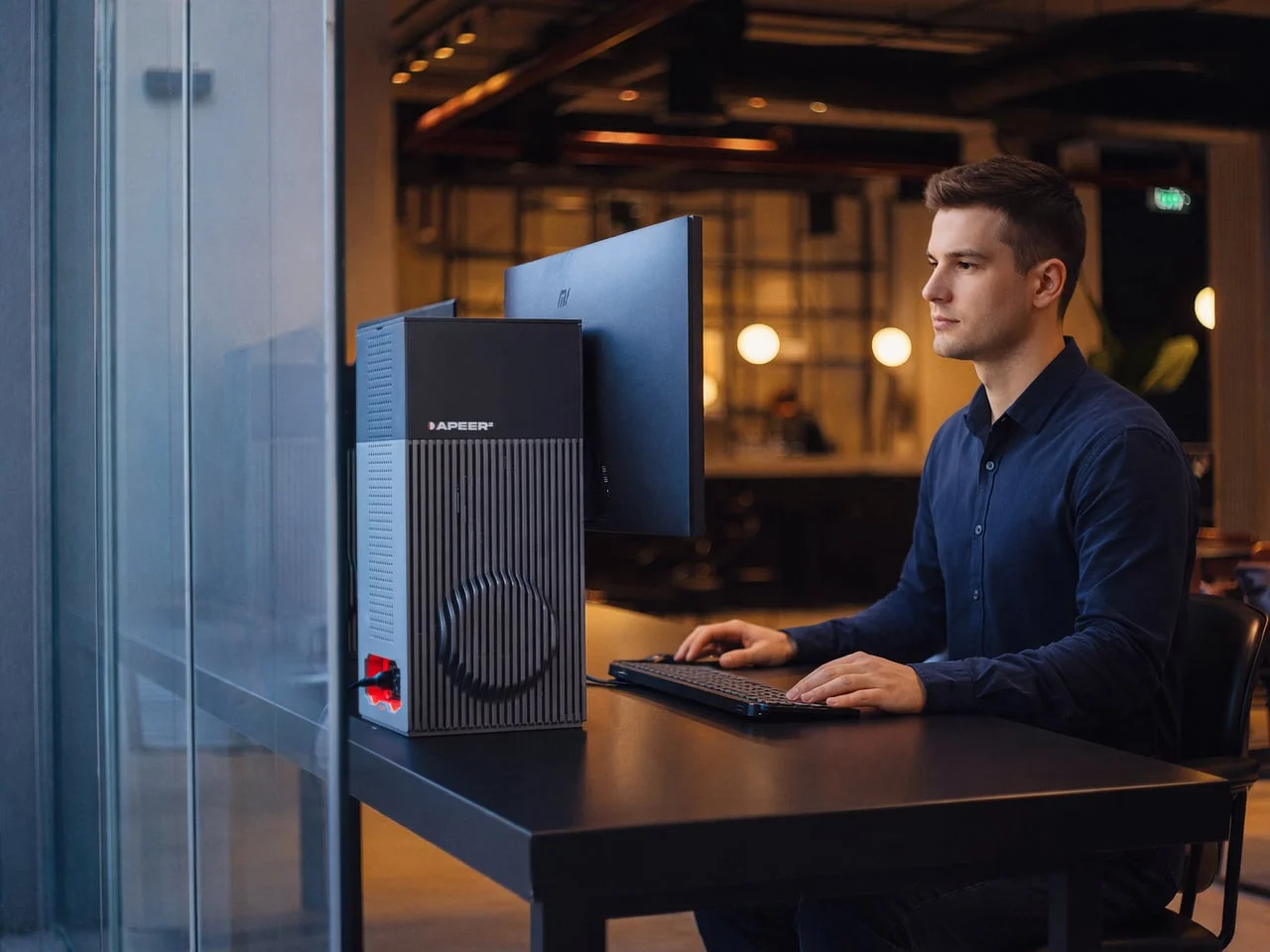
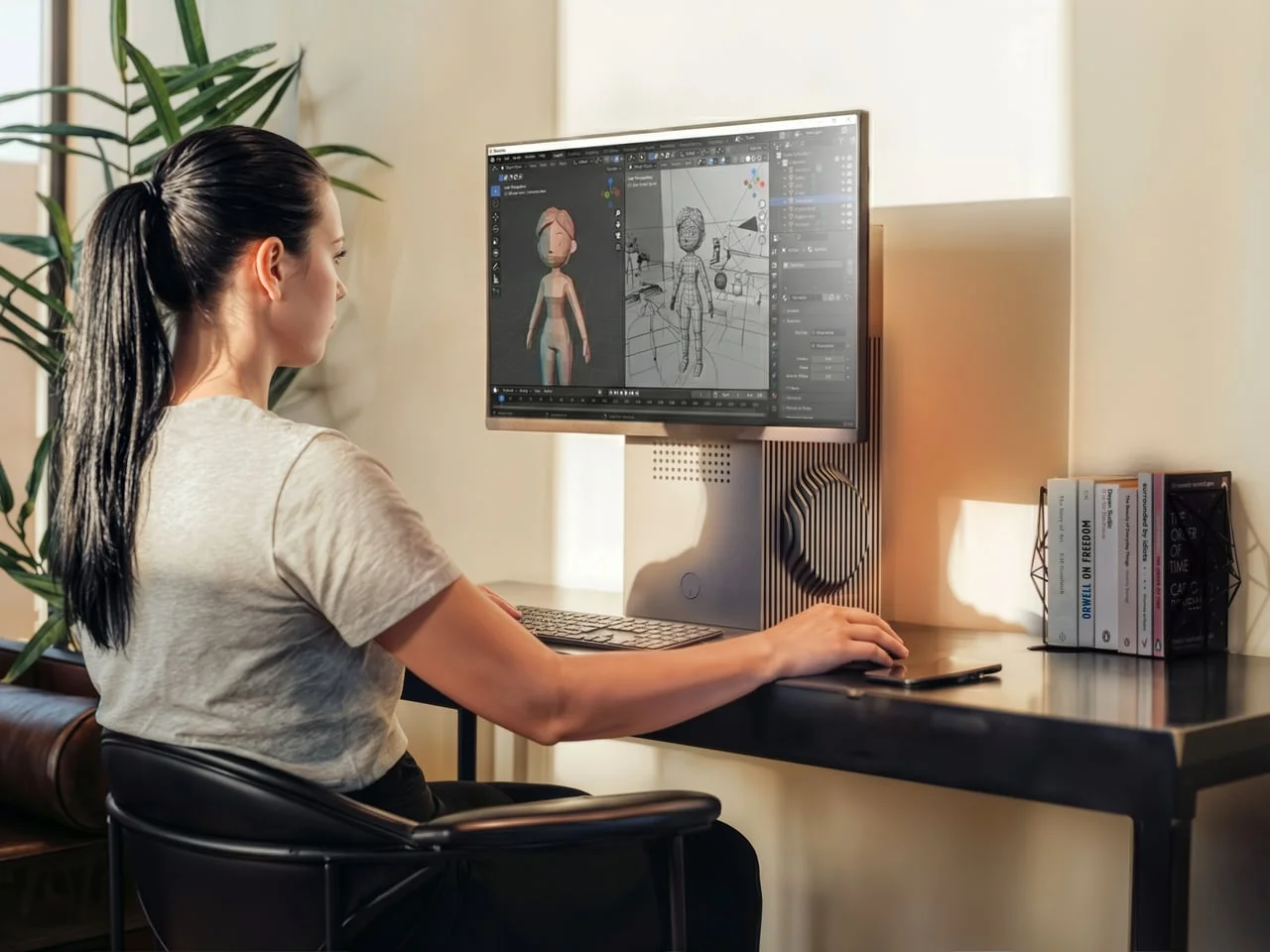
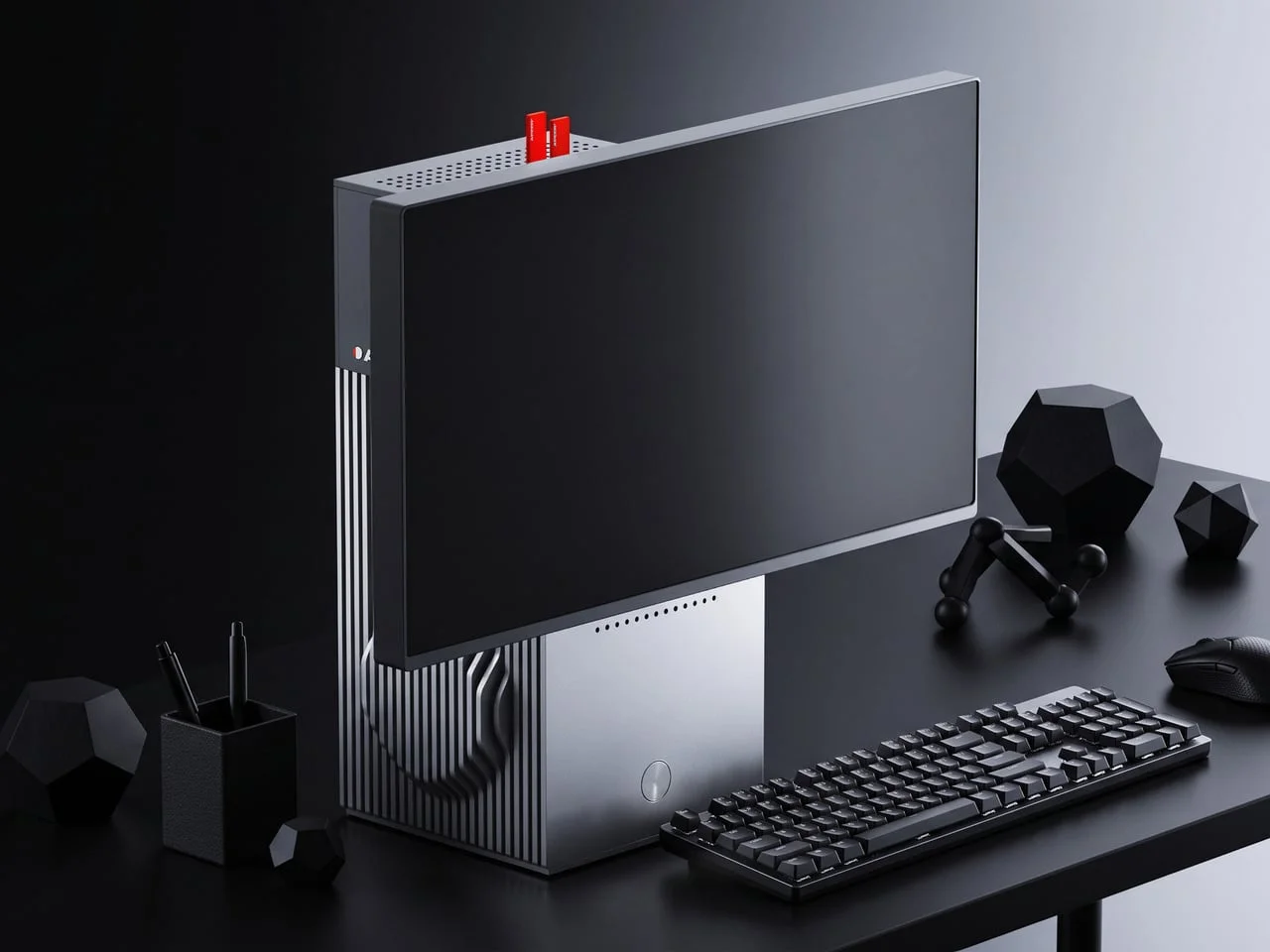
Apeer2’s Mini-ITX case turns the monitor stand into space the PC can occupy. The display attaches to the front of the tower, placing the computer behind and below the screen and clearing the area a conventional stand would use. That could make a fixed workstation feel less crowded, especially when the desk also has to accommodate tools, notes or other equipment. But the case is roughly 10.5 inches deep, so the design shifts some of the footprint toward the user instead of making it disappear.
This is a practical trade, not a free gain in space. The tower and monitor become one physical arrangement, which may simplify a desk setup while making placement more consequential: users will need enough room behind the screen and a comfortable viewing position in front of it. The idea makes the most sense where desk width is scarce and the computer can stay in one place.
Monitor mount and internal layout
The VESA mount offers three fixed positions, while the display can tilt or rotate to portrait orientation without moving the case. Those adjustments give the owner some control over screen placement, though the three positions set a limit on how finely the monitor can be positioned relative to the tower. The arrangement borrows from all-in-one PCs, combining display and computer in a single footprint while leaving the monitor itself removable.
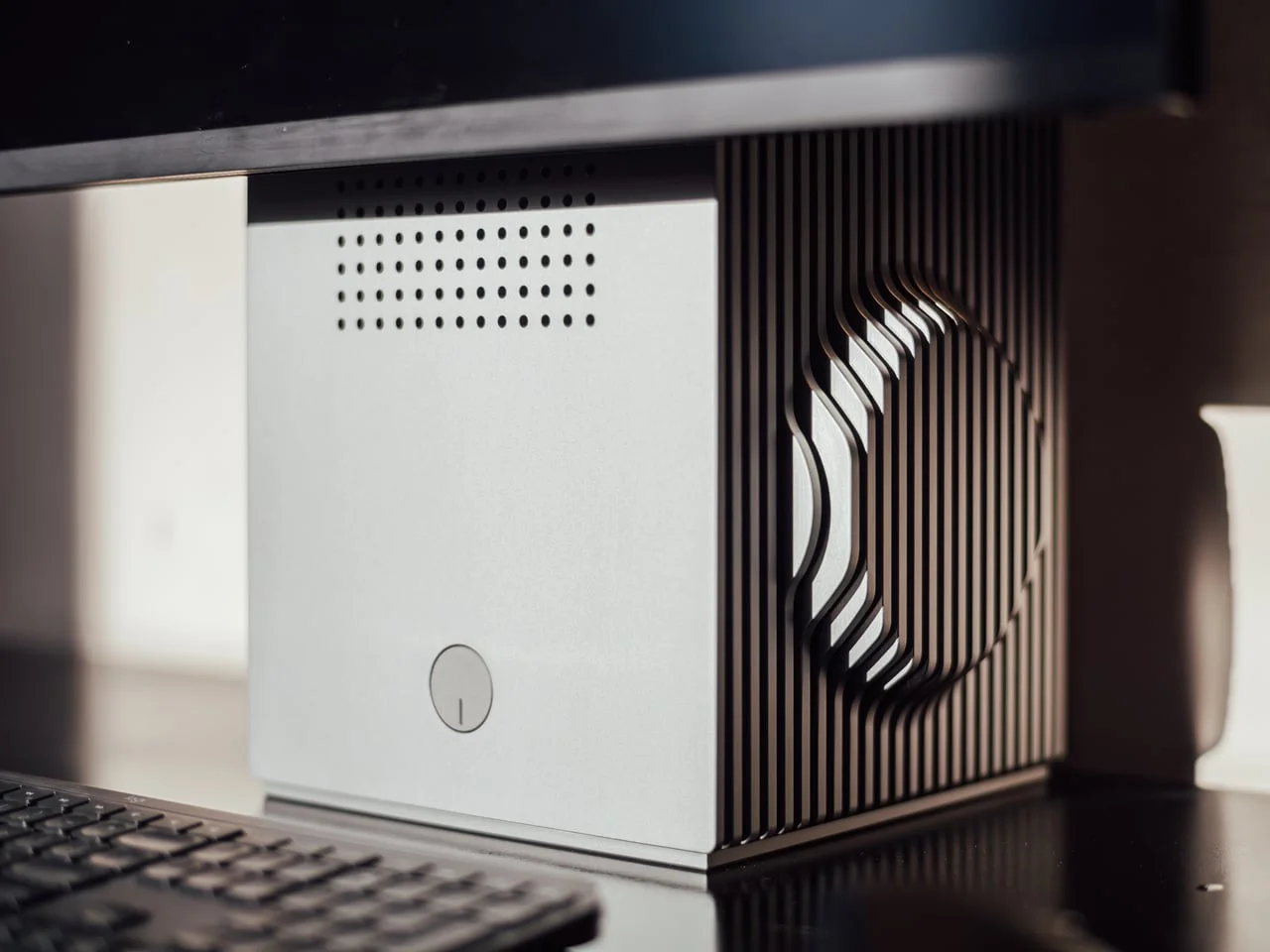
The industrial design reinforces that all-in-one impression. A silver front, a round power button and sculpted ribs around the fans make the case read as a finished piece of desk hardware rather than a conventional tower tucked under a desk. That styling is part of the product’s proposition: the computer is intended to sit in view, so its surfaces and ventilation details become part of the workstation.
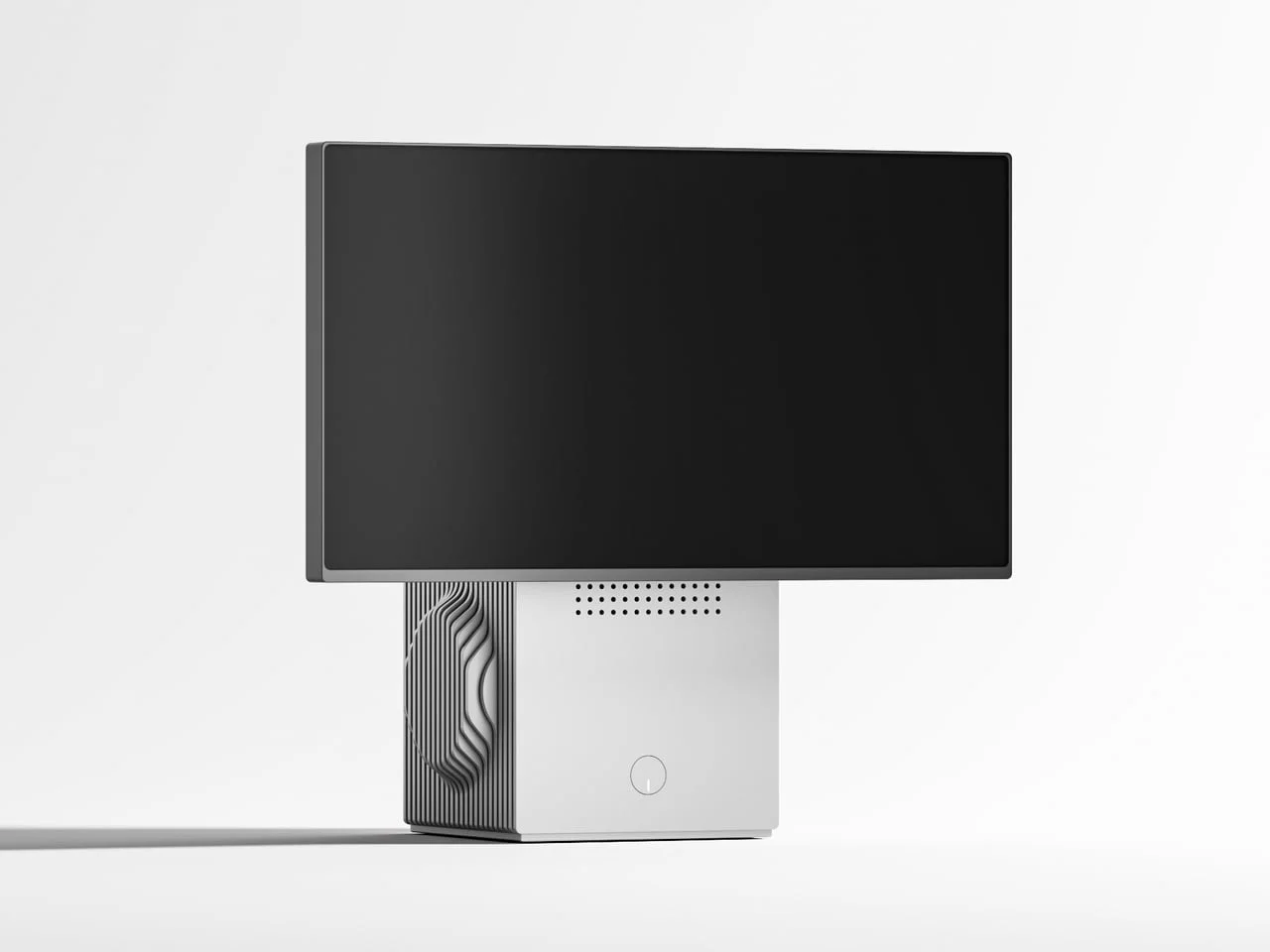
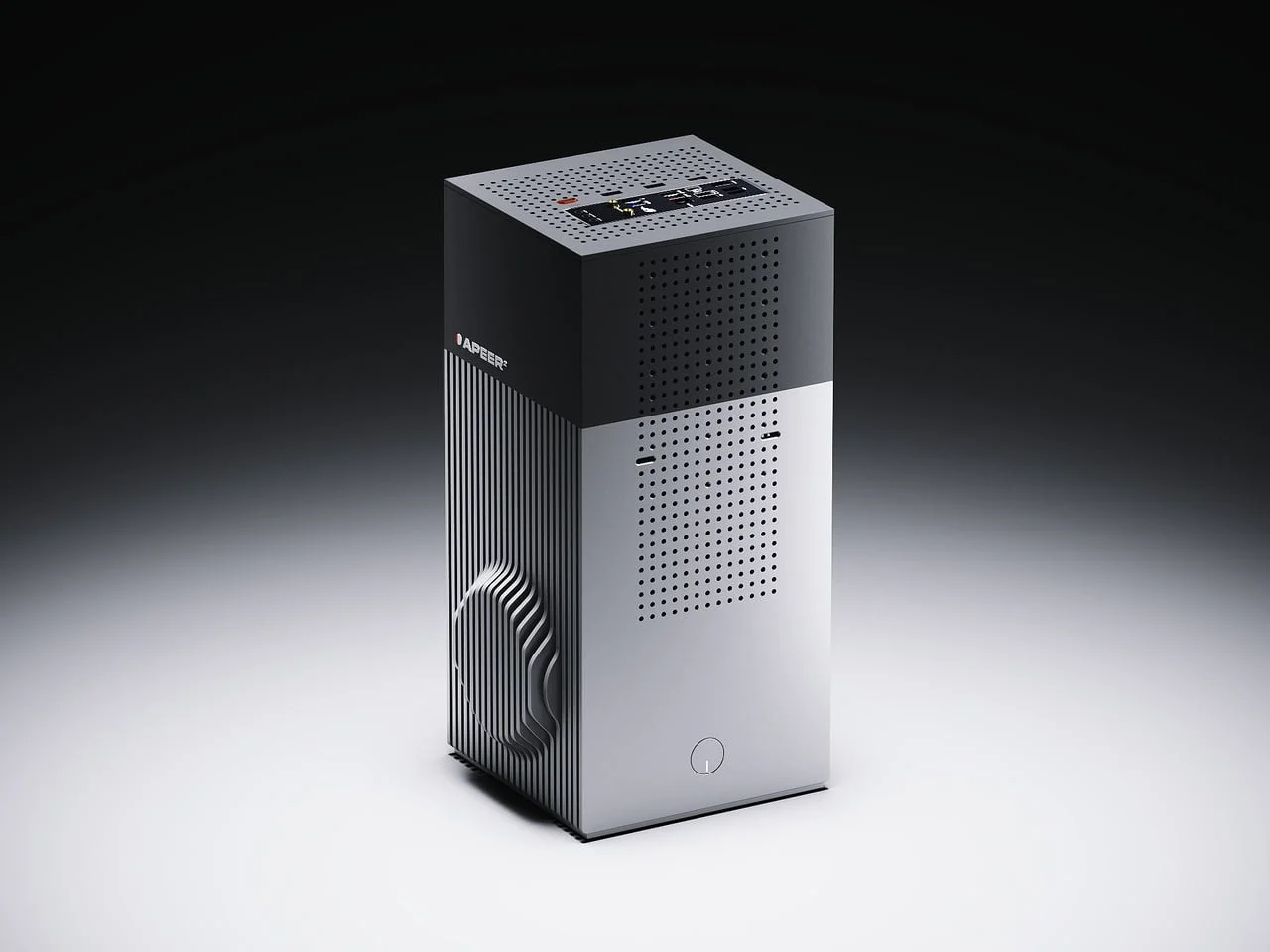
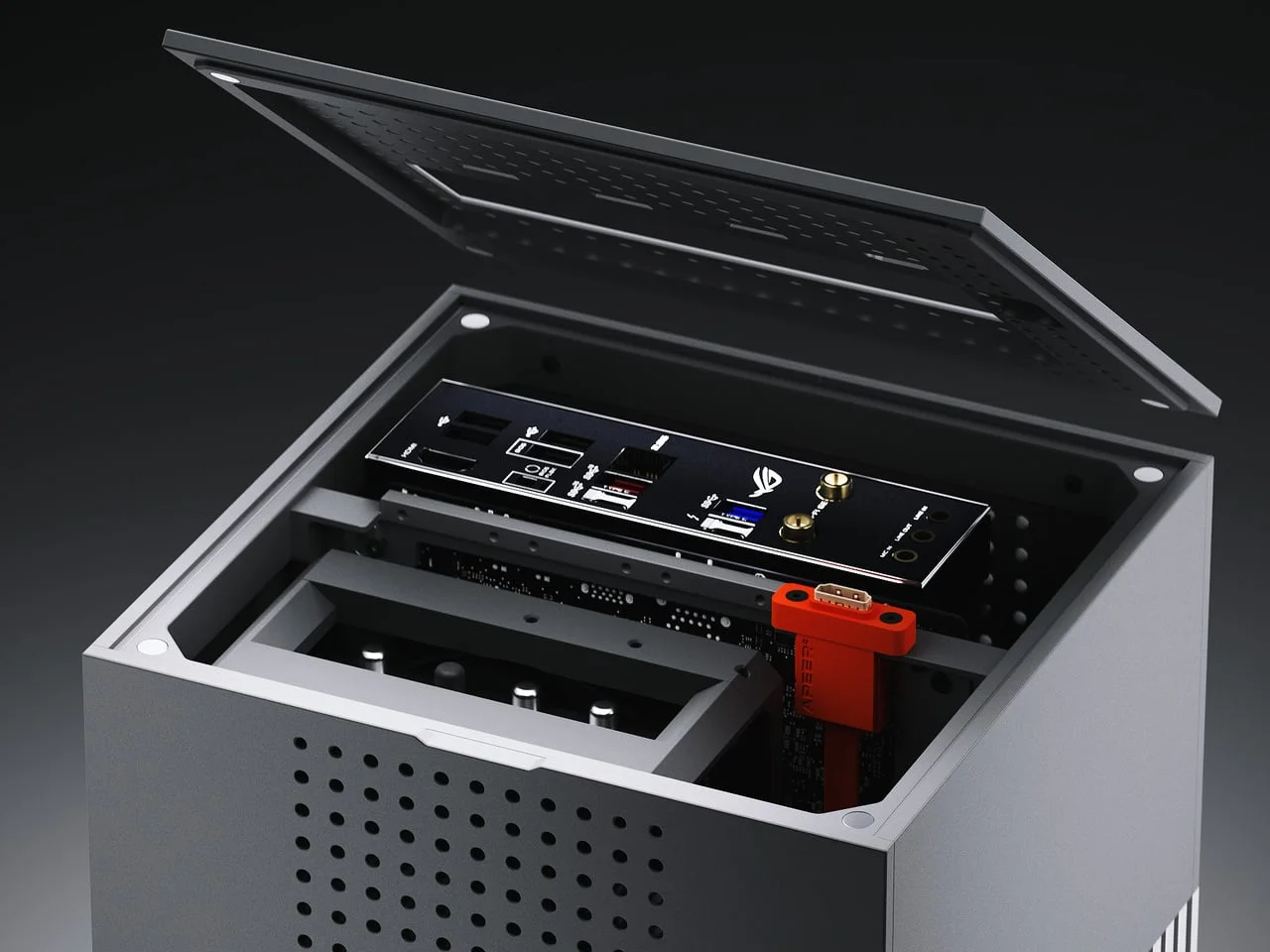
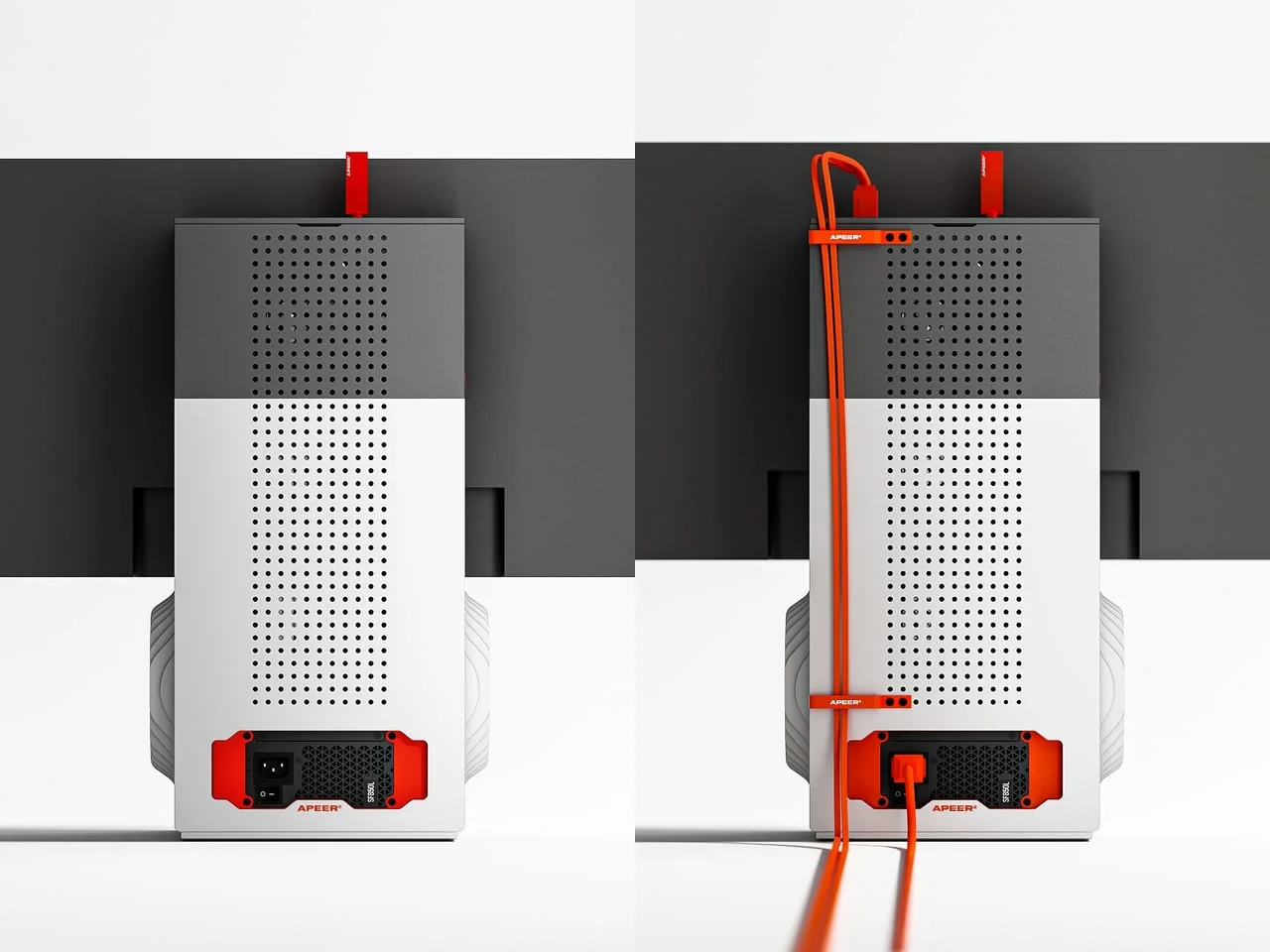
Inside, the power supply sits at the base and the graphics card mounts vertically. Apeer2 specifies support for cards up to 14.6 inches long, subject to clearance limits imposed by the cooler and power supply. That qualification matters in a compact build: a card’s length alone doesn’t establish whether it will fit, and buyers will need to check the rest of the component dimensions against the case’s available clearances. The published details establish the basic layout, but don’t describe a particular system configuration or performance target.
Designer Ivan Zhurba created the case for Apeer² Tech; details about the designer are available through Ivan Zhurba’s profile. The design’s unusual mounting arrangement is the central idea, but its value will depend on whether the internal space works for the components a buyer actually intends to use.
Service access and cable routing
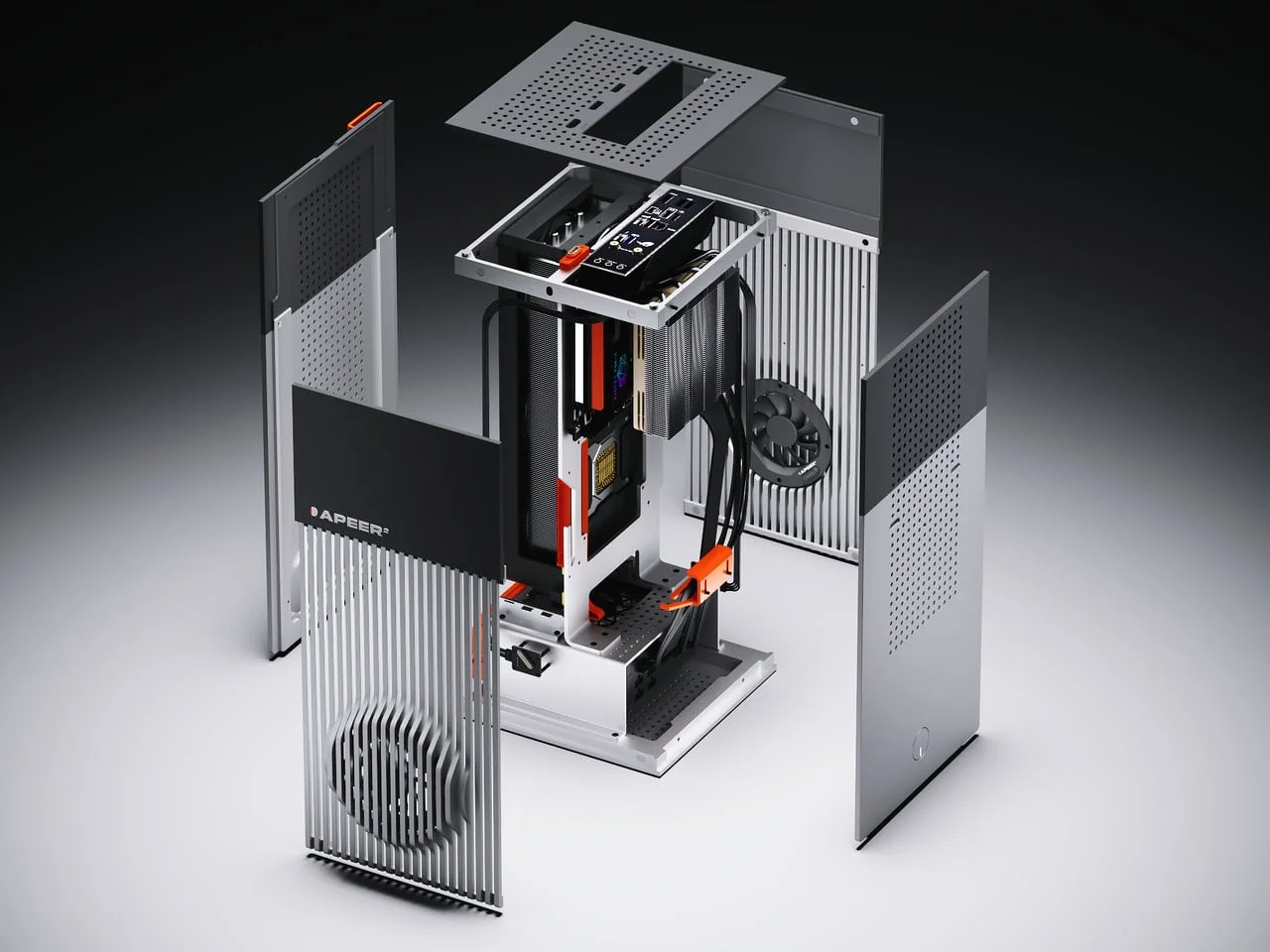
Anodized aluminum panels attach magnetically, making access to the components tool-free. That can make routine inspection or component changes less fiddly than removing panels secured with screws, particularly in a system that sits on the desk and is likely to be opened in place. Tool-free access is useful only if the internal layout remains reachable once the display and cables are connected, however; the published description doesn’t specify how much working room there is around each component.
Fans are mounted on the panels and connect through spring-loaded contacts. Replacing a panel therefore avoids the usual step of reconnecting a small fan cable by hand. It’s a considered detail: a removable panel that carries a fan can turn a simple access task into cable handling, and the contacts address that particular inconvenience. The design still depends on those panels seating correctly for the contacts to meet.
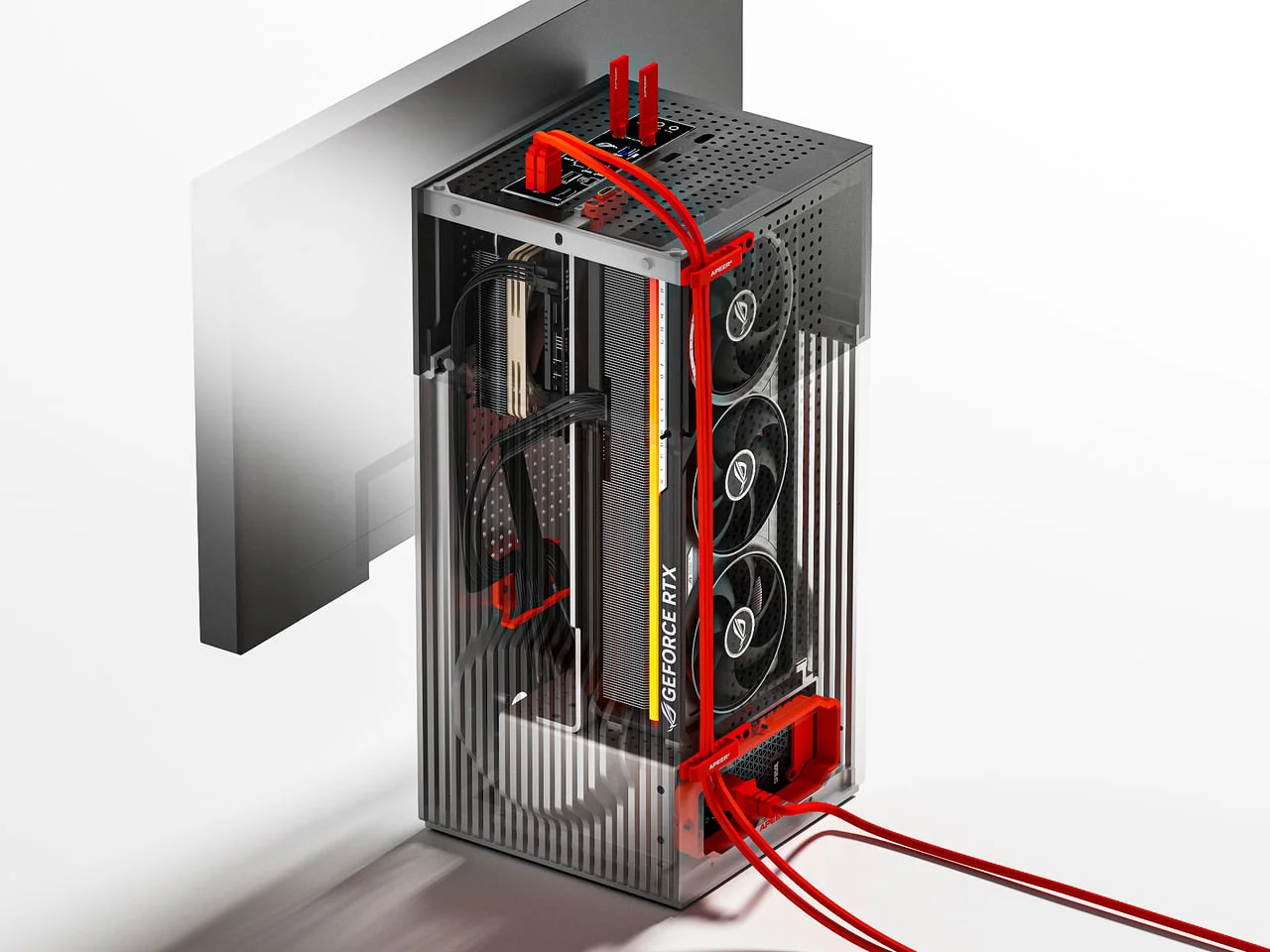
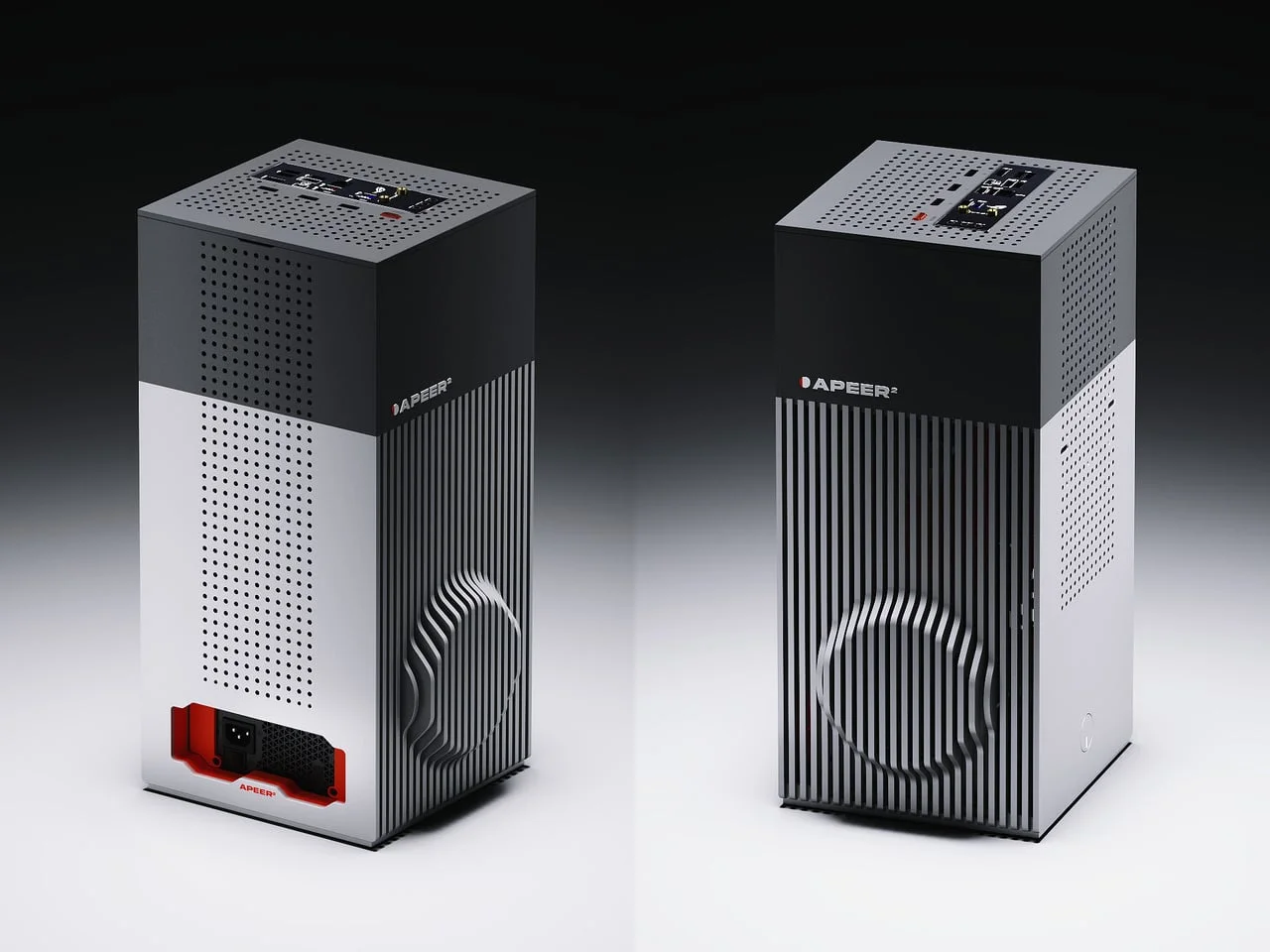
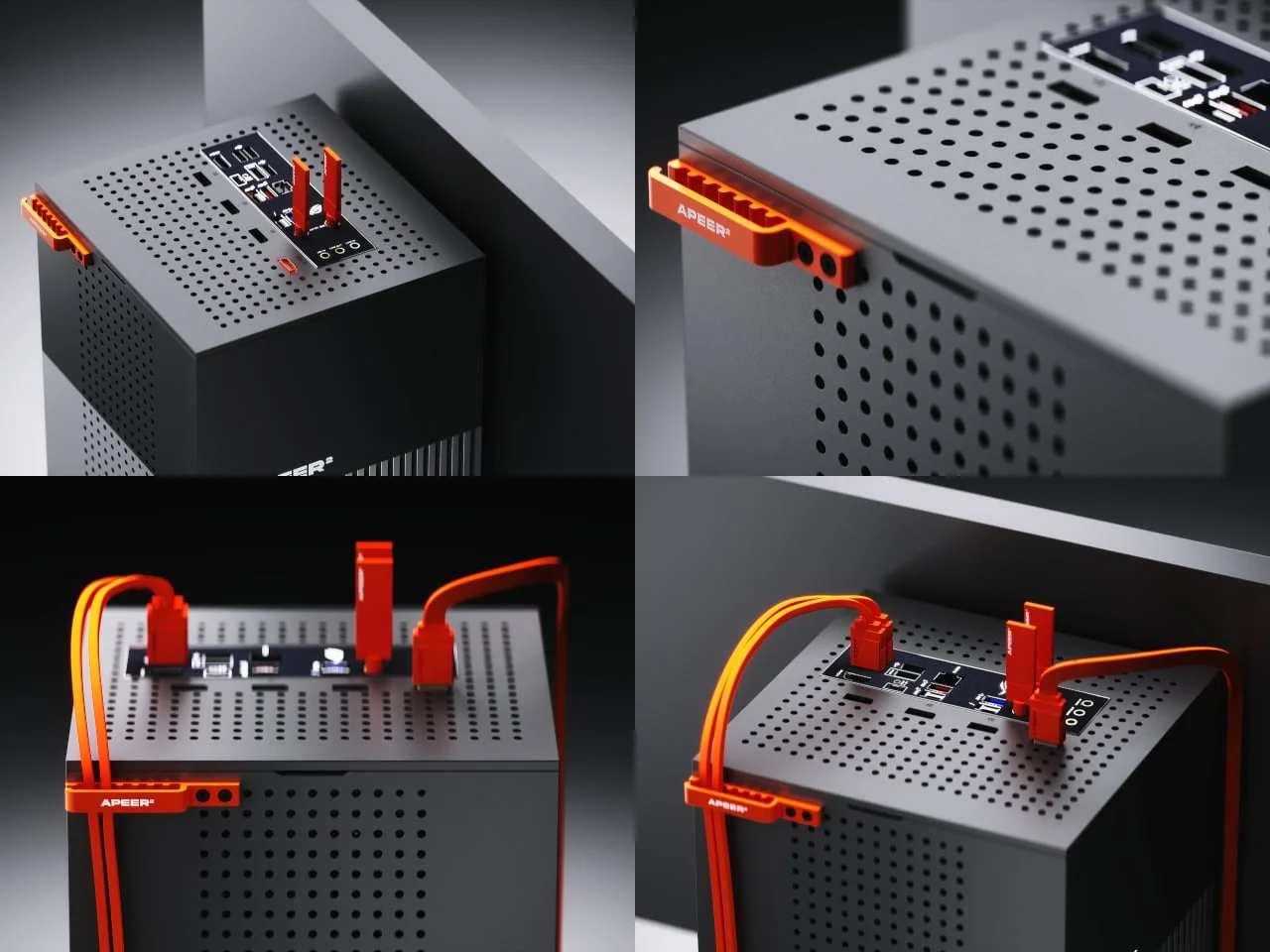
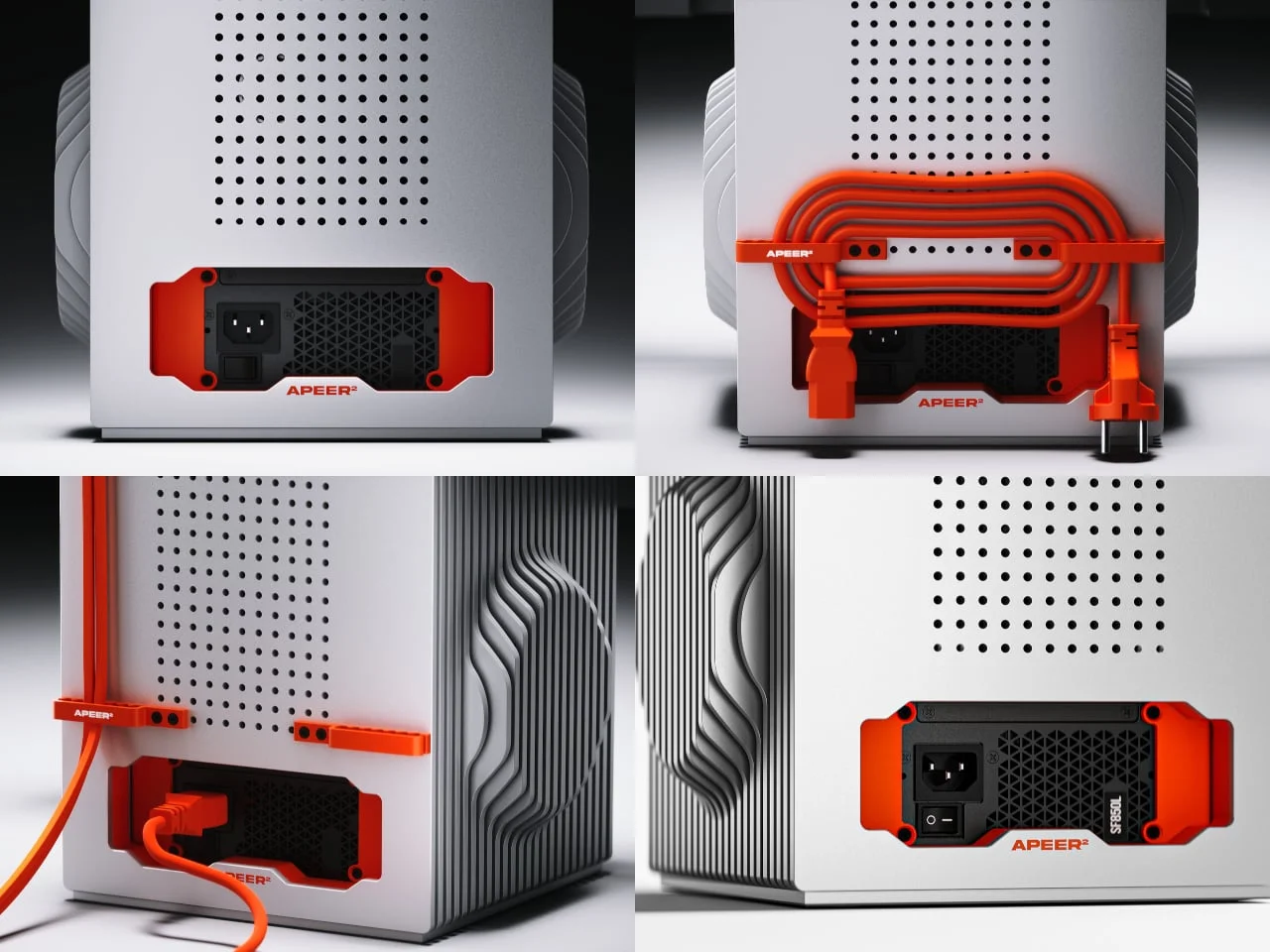
External cables take a more visible route. Red guides clip to the case and direct leads from the top ports down its rear, making it easier to trace a display cable when swapping connections. That routing gives the cables an intentional path rather than leaving them to hang wherever gravity takes them, though it doesn’t hide them from view. The power cord remains exposed, with its bright color treated as part of the look.
Here’s the thing: cable management is often judged by how tidy a desk looks from the front, but it also affects how easy a setup is to change. A clear route can help when reconnecting a display or rearranging equipment. The visible cord and guides make the design’s approach explicit, and buyers who prefer a discreet cable run may see that as a compromise.
Price, availability and trade-offs
Apeer2 showed the case at Computex and lists it for $680 in gray or green. The company’s site marks it as coming soon and provides a preorder form, but gives no firm shipping date. That leaves a gap between a listed price and a product buyers can plan around: the page communicates intended availability without establishing when the case will ship. The listed price also needs to be judged alongside the unusual mounting system and the fact that the monitor is supplied separately.
The case weighs 18.2 pounds before components or a monitor are attached. That makes this setup look better suited to a desk where it can stay assembled than to a system moved regularly between rooms or locations. The weight also adds to the practical cost of the integrated arrangement: a user moving the monitor and tower together would have to handle the full assembled system, while removing the display first adds another step.
A speaker module is designed to fit below the display, potentially replacing a separate pair of speakers on a compact desk. It isn’t included in the published package list, which names the mount and a DisplayPort cable; buyers also need to supply their own monitor. The speaker module may help complete the compact setup, but its presence in the design shouldn’t be confused with an included accessory. If you're working in this space, that distinction matters when comparing the total desk setup you’ll need to assemble.
Who the design suits
The layout may earn its keep where desk width matters more than easy portability. It frees the area beside the screen for tools or a sketchbook, while keeping the monitor removable for a future upgrade. And yet, the roughly 10.5-inch depth and the case’s weight make clear that space is being rearranged, not erased. A buyer should consider the desk from front to back as well as from side to side.
This is more significant than it looks for people whose work surface is already crowded: combining the case and monitor can change where other equipment fits, without requiring the PC to be hidden under the desk. The monitor’s tilt and portrait rotation add some flexibility, while the fixed mount positions and exposed cable route set practical limits. A speaker module could further reduce clutter, but it’s an optional part of the picture based on the published package list.
There’s a clear point of view here. The Mini-ITX case treats the computer as part of the workstation’s visible structure, then adds small service and cable-routing details to make that arrangement workable. The $680 price and uncertain shipping timing will give buyers reason to pause, and the real appeal depends on fit, component clearance and how often the system needs to move. For a desk-bound setup that needs more open space beside the screen, that trade may make sense.
Discussion
Sign in to join the discussion.