The Kiwibit pairs sharp 4K footage with AI bird identification and solar power, but its £199.99 price and subscription costs may give casual birdwatchers pause.
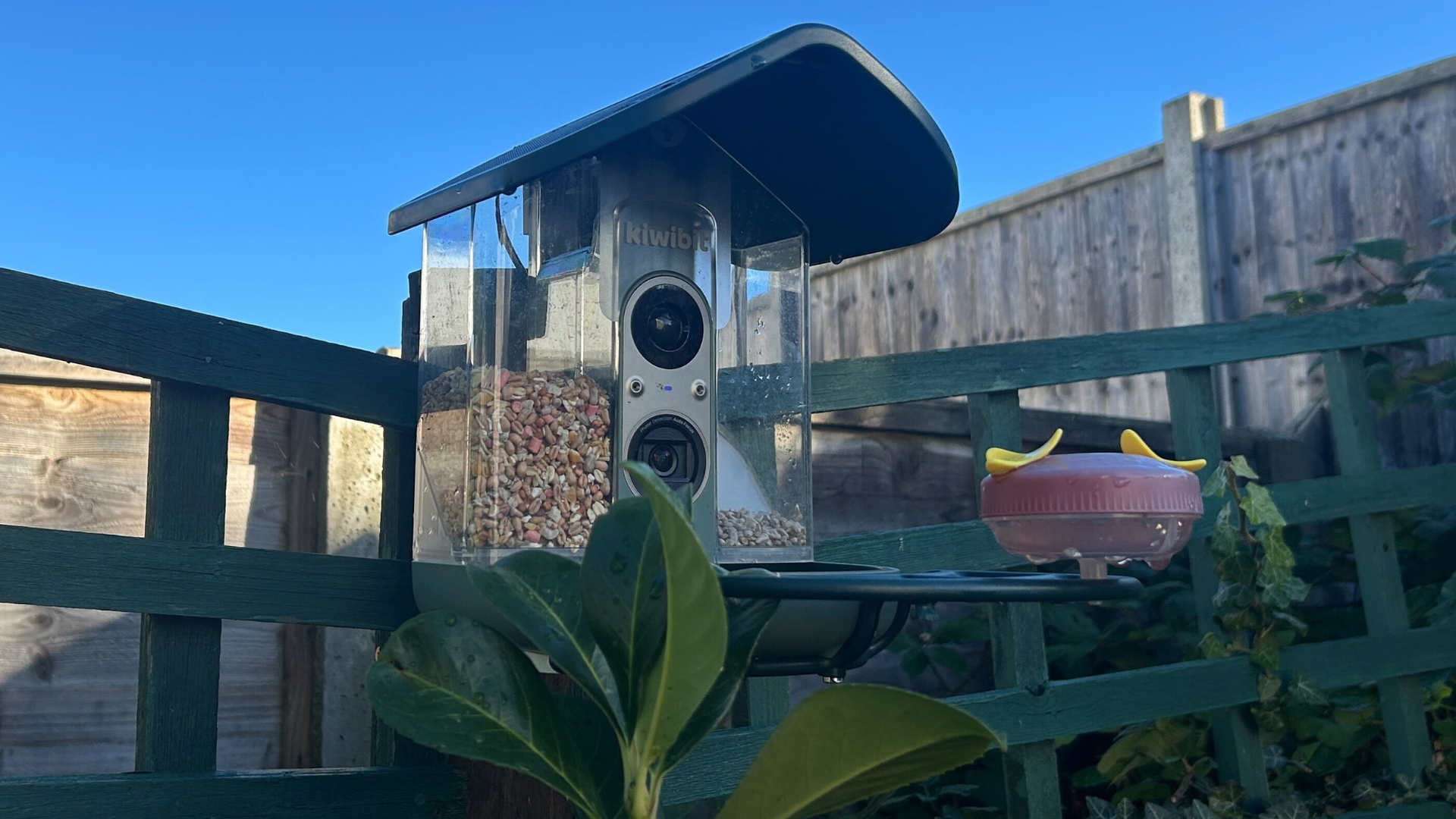
The Kiwibit Bird Feeder 2 Pro turns an ordinary garden feeder into a 4K wildlife camera, with AI species recognition and solar charging built in. After a couple of months in a busy garden, its picture quality and reliable recording stood out: it makes watching visiting birds easier without asking the owner to keep a camera pointed at the feeder. The £199.99 price is harder to justify if you’re only curious about the birds passing through. This is a specialist gadget, and its value depends on how much you’ll use the footage and identification features.
Specs and storage
| Dimensions | 22 × 18 × 29 cm |
| Seed capacity | 1.5L dual-compartment hopper |
| Power | 5,200 mAh removable rechargeable battery; 4.4 W built-in solar panel |
| Camera | 4K Ultra HD (3840 × 2160); 132° field of view |
| Night vision | Black-and-white infrared |
| Audio | Two-way audio |
| Storage | Free one-day rolling cloud history; microSD support up to 512 GB (card sold separately); extended history with Kiwibit Premium |
| Price | £199.99 |
The headline specification is the 4K camera, but the storage options shape how useful that resolution will be in practice. The free cloud history rolls over after one day, which suits someone who checks alerts regularly but leaves little room to revisit older activity. A microSD card can keep recordings locally, though you’ll need to buy one separately and decide how much capacity makes sense for your garden.
The removable 5,200 mAh battery and built-in 4.4 W solar panel are intended to reduce the need for routine charging. Their presence doesn’t mean every installation will get the same results: where the feeder sits and the light it receives can affect how useful solar charging is. Still, keeping power and recording in one outdoor unit avoids the extra work of wiring a separate camera.
Setup and garden fit
The feeder arrived with a solar roof, perch, metal bracket, USB-C cable, screws, hex screwdriver, retaining nut and user manual. Assembly and app setup took around 30 minutes, so it’s a manageable project for someone comfortable attaching a bracket and pairing a connected device. The free app is available for iOS and Android, and the feeder needs Wi-Fi to connect; a suitable signal at the installation spot is part of the setup, not an optional extra.
Its green finish sits fairly unobtrusively against a garden fence, where a bright or bulky device could draw attention away from the birds. The solar panel and rechargeable battery also mean there’s no cable to run across the garden. That’s a practical benefit for a feeder placed away from the house, although owners will still need to choose a location that works for both the birds and the Wi-Fi connection.
With an IP65 rating, it’s designed for outdoor use in different weather conditions. That rating helps explain why the feeder is built for an exposed garden setting, but it doesn’t remove the ordinary need to keep an eye on equipment outdoors. Placement matters here: the camera needs a useful view of the perch, while the feeder itself needs to be accessible for refilling and maintenance.
Clear footage, useful bird recognition
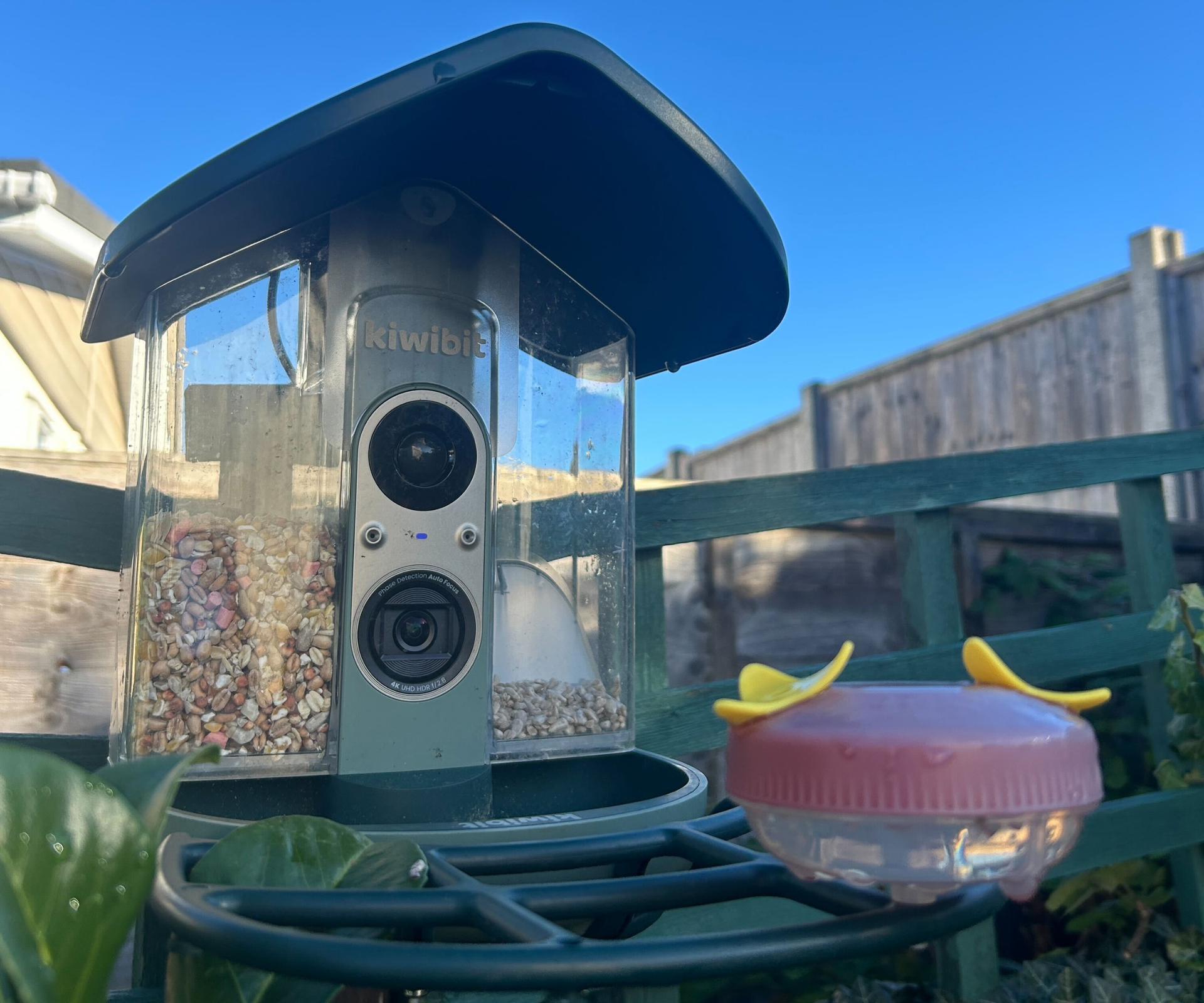
Over several months, the feeder recorded regular visits and produced sharp footage. Its 132° lens captures the bird along with enough of the surrounding garden to give each clip useful context, so the result isn’t just a close-up without a sense of what’s happening nearby. Infrared night vision adds after-dark recordings, though they’re monochrome. That distinction matters if you expect the same kind of colour detail at night as during the day.
The 1.5L hopper has two compartments, so owners can offer different seeds at once. An adjustable gate controls how much seed comes out, helping limit waste and keeping food from blowing away. This gives the feeder some value as a piece of garden equipment even when the camera isn’t the main attraction. The enclosed design also avoided a familiar problem in this garden: squirrels chewing through feeder wiring.
AI recognition covers more than 10,000 species. It identifies visitors and creates summaries showing how often they appear, which makes the feature more practical than a stream of unlabeled clips. The summaries can help turn occasional viewing into a clearer record of the birds using a garden, though recognition is best treated as assistance rather than a reason to stop looking closely at the footage. If you’re working in this space, the useful question isn’t just whether a camera can name a visitor; it’s whether the information is easy to find again.
Users can watch live, review recorded footage, save videos to a phone, share them and receive arrival alerts. The app also supports multiple family members, which gives other people in the household a way to follow visits without relying on one person to pass along clips. That’s a sensible set of viewing and sharing options, but it also makes the app central to the experience. The camera’s image quality is only part of the product; notifications, access and storage determine how much of that footage you’ll actually see.
Two-way audio lets users listen to birdsong and speak through the feeder. That may appeal to anyone who wants to interact with visitors, though the camera’s wildlife recordings are the stronger reason to use it. The feature adds another point of interest, but it doesn’t change the basic appeal: seeing birds clearly and learning which ones return.
The cost of keeping recordings
The main trade-off is the price, followed by the cost of accessing some features. The feeder costs £199.99, while extended video history and AI features require a Kiwibit Premium subscription. A microSD card of up to 512 GB offers local storage without that ongoing fee, but it’s an extra purchase. Buyers should think through how they want to review recordings before choosing: the free one-day rolling history, local storage and paid extended history each suit different habits.
That makes the subscription question part of the buying decision, not a detail to consider after installation. Someone who checks clips as they arrive may get by with a short cloud history, while a person who wants to build a longer record will need another storage arrangement or Premium. The trade-off is clear, but the best choice depends on how often you’ll revisit older footage and whether AI features are central to your interest.
Who should consider it?
For keen birdwatchers, the combination of clear footage, dependable detection and species information makes the Kiwibit a capable garden camera. This is more significant than it looks: a feeder that captures visits reliably can make it easier to notice patterns without spending time waiting beside the window. The 4K picture and summaries give the product a purpose beyond simply sending an alert when a bird arrives.
Casual viewers may find the upfront cost difficult to defend, especially if they don’t plan to save or study clips. What this means for you is that the camera’s value rests less on its headline resolution than on whether you’ll use its recordings, recognition and storage features over time. A good camera with little activity to record won’t make for much of a wildlife archive. A quiet garden.
Before installing one, it’s also worth considering how to attract birds to your garden—a camera can only record the visitors that show up. That’s a useful reminder for anyone weighing a connected feeder against a simpler one: the device can document garden activity, but it can’t create it. And yet, for a household that already enjoys watching birds, the Kiwibit offers a polished way to bring those visits closer, provided its price and storage terms fit the way you’ll use it.
Discussion
Sign in to join the discussion.