The N5 Air 7640 combines five SATA bays, three M.2 slots and a slide-out motherboard, with MinisCloud OS still in beta.
A NAS built to grow
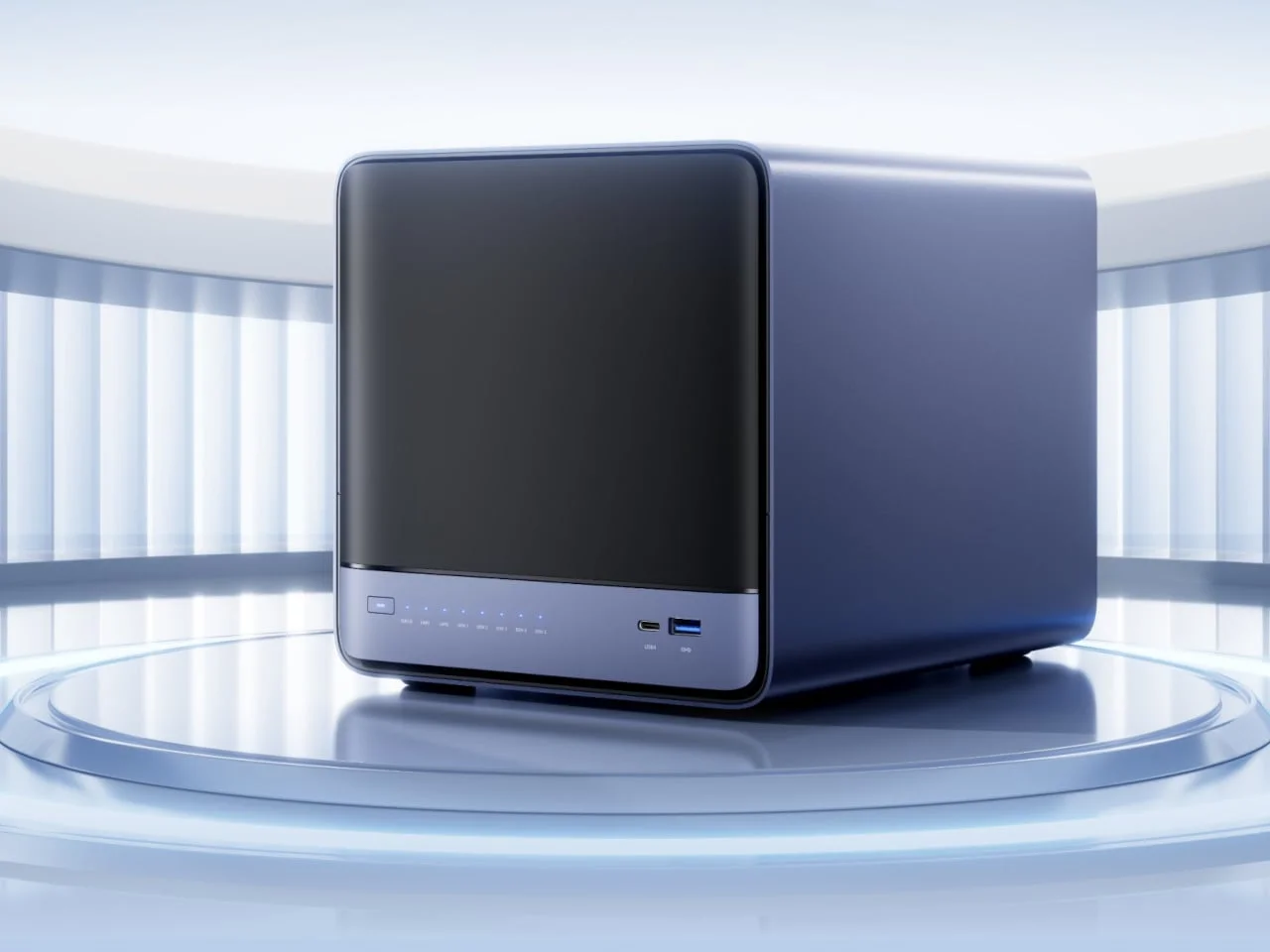
A network-attached storage device can start out as a place to keep files and gradually become part of a home’s computing setup. As the archive grows, owners may need more drive capacity, more memory, or room for applications that run on the device itself. Minisforum’s N5 Air 7640 is designed around that kind of expansion, with five SATA bays, three M.2 slots and a motherboard assembly that slides out for maintenance and upgrades.
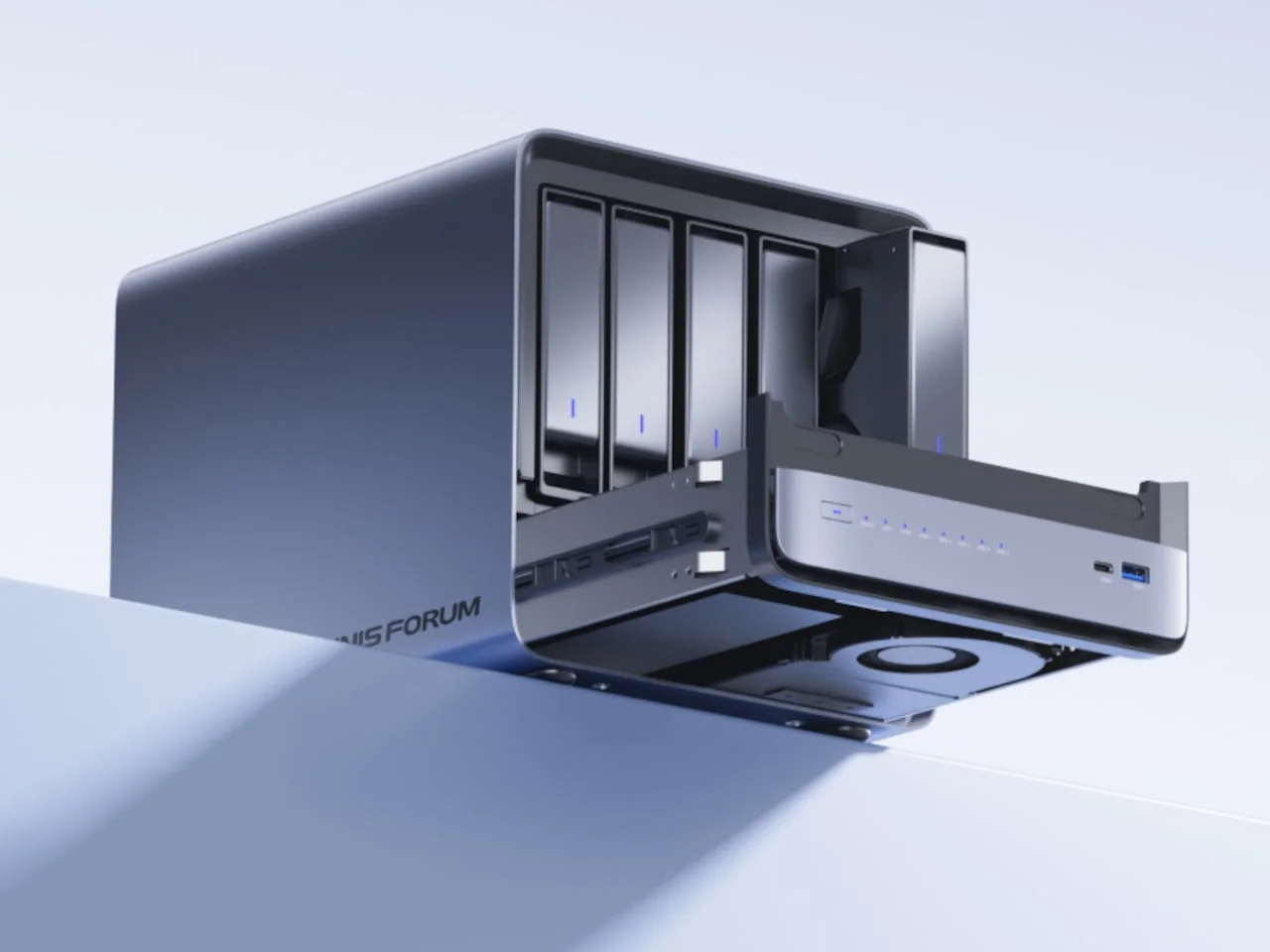
That physical design matters because upgradeability isn’t just a list of supported parts. It also depends on how much effort it takes to reach them. The N5 Air separates access to its drives from access to its motherboard, giving owners distinct routes into the enclosure. For people who expect a home archive to take on additional computing tasks, that could make future changes less of a teardown project.
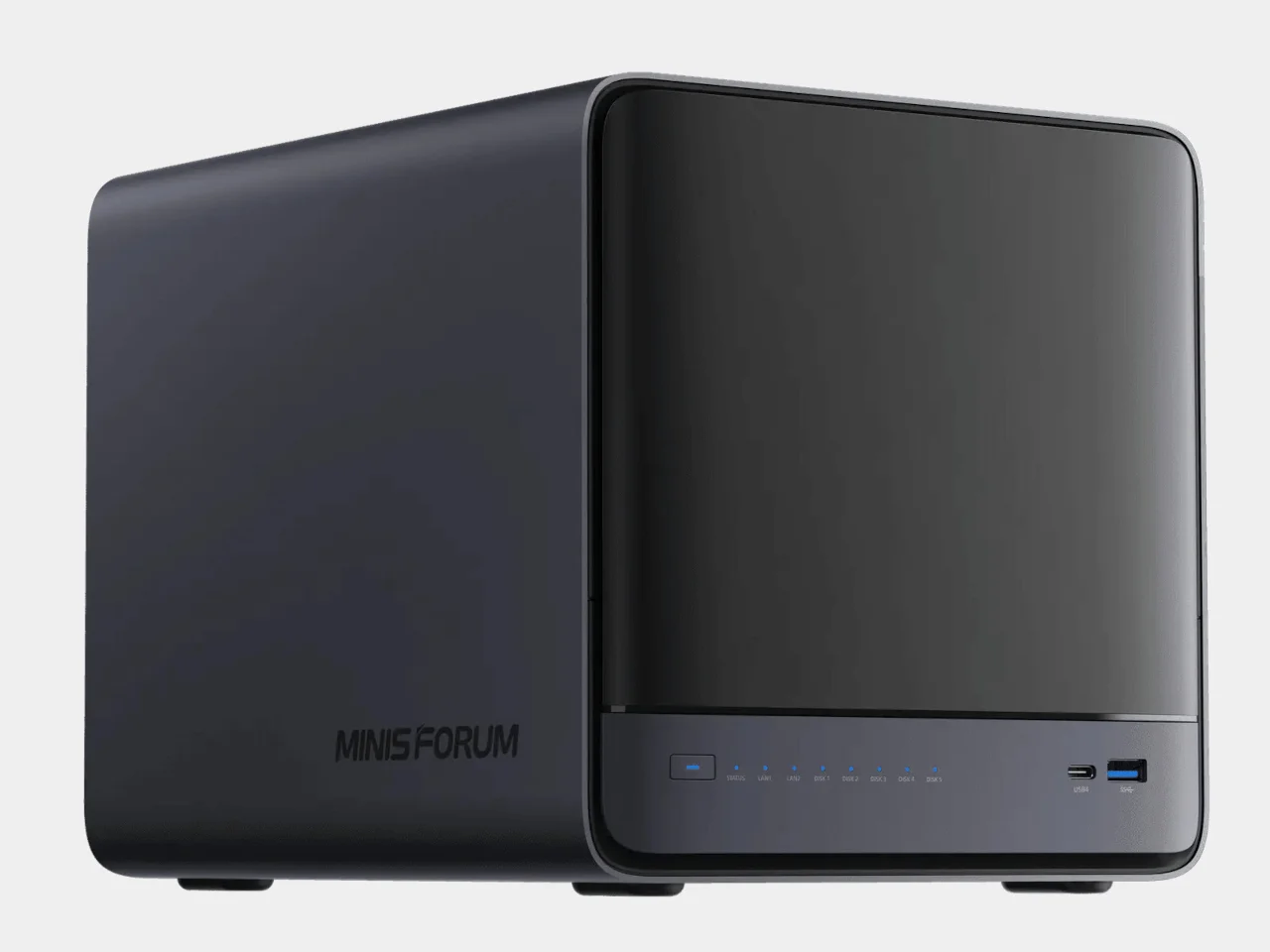
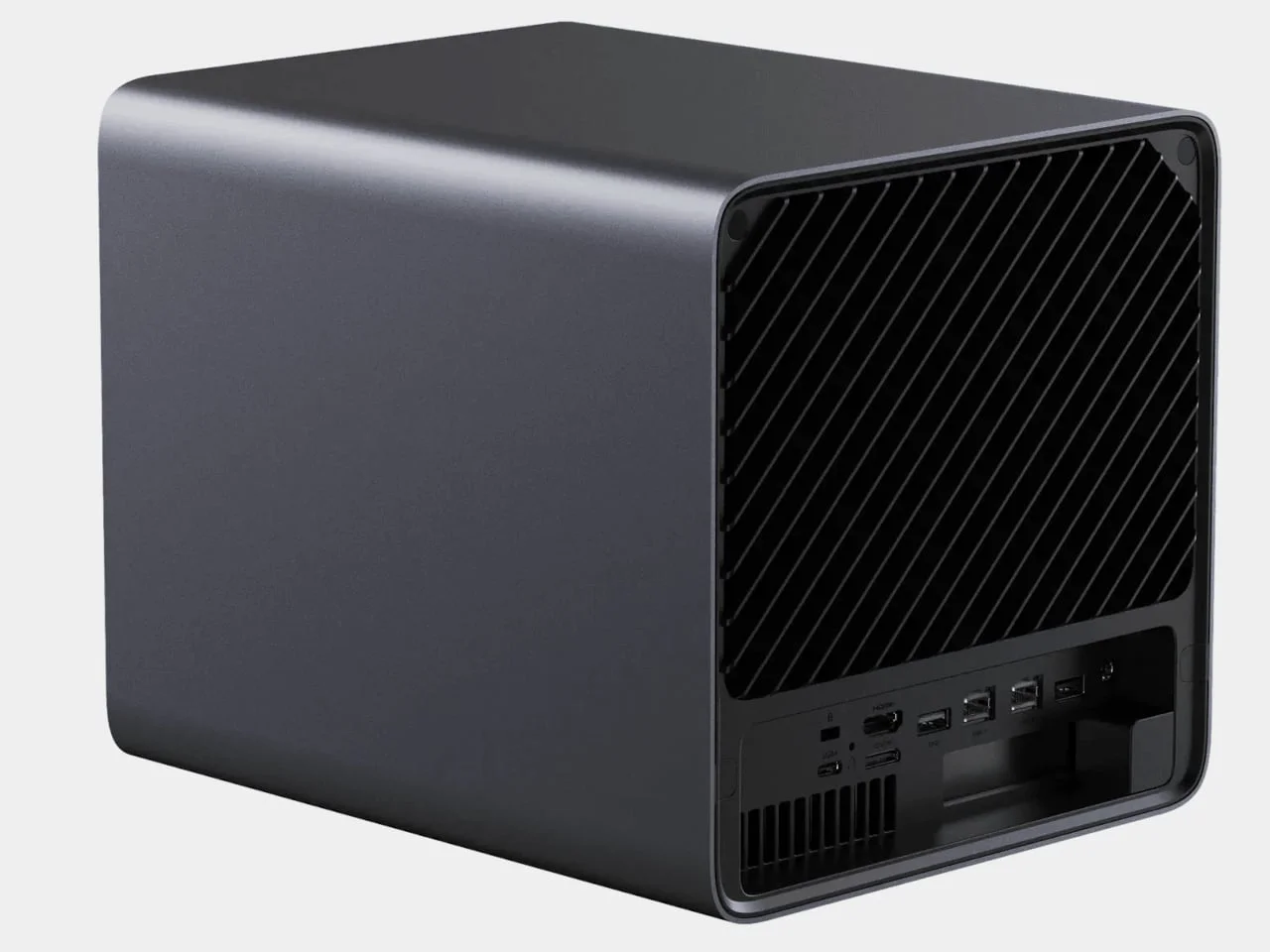
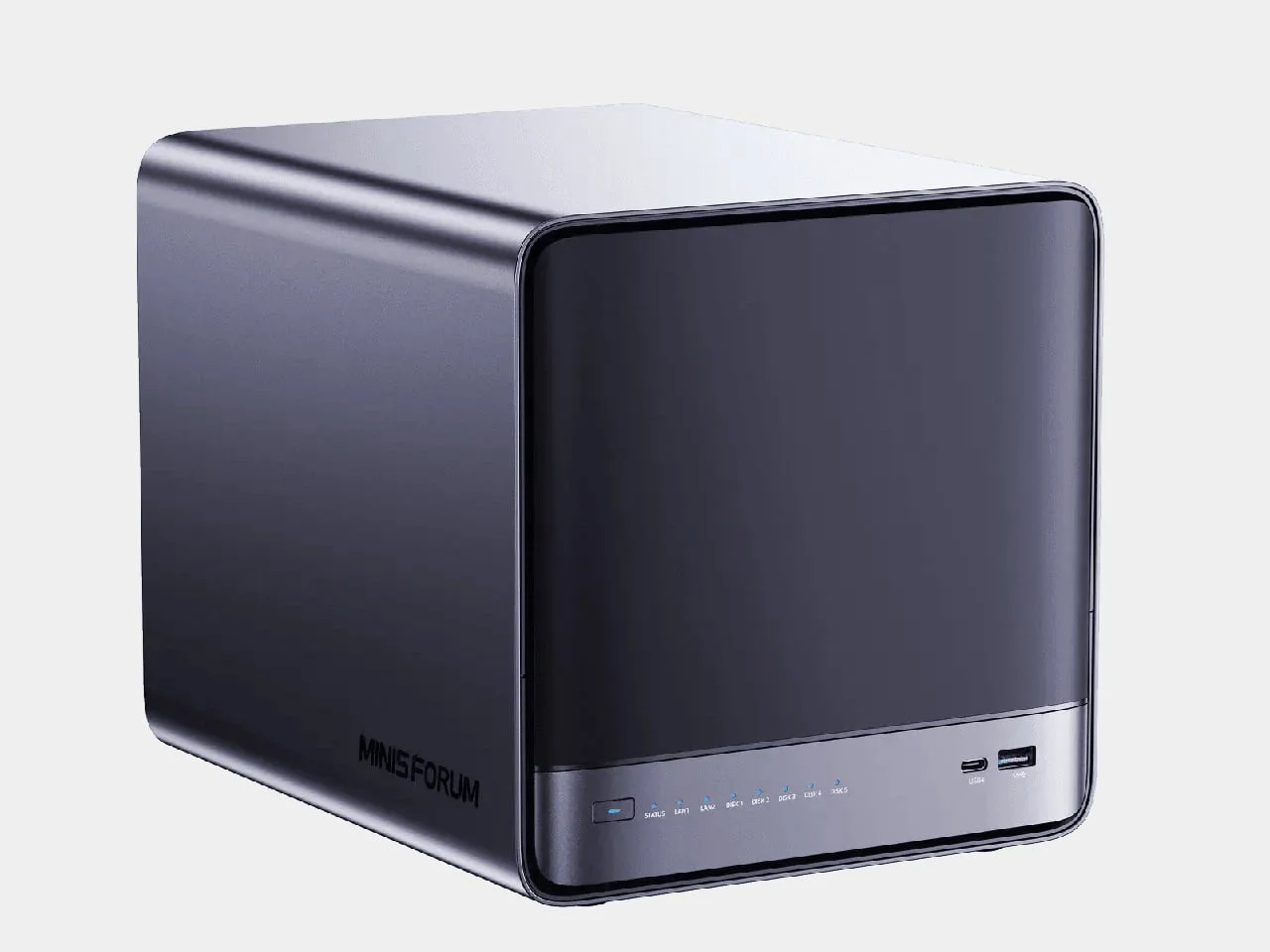
The enclosure measures 7.8 by 8.0 by 9.9 inches, with rounded corners and a dark plastic exterior. A front cover hides the drive trays, while power, status lights and USB ports sit in a narrow strip beneath it. The restrained front keeps the storage hardware out of sight and leaves basic connections accessible. It’s a compact footprint for a system with several internal storage options, though drive capacity alone doesn’t tell you how the unit will fit into a particular home network or workspace.
Designer: Minisforum
Access designed for upgrades
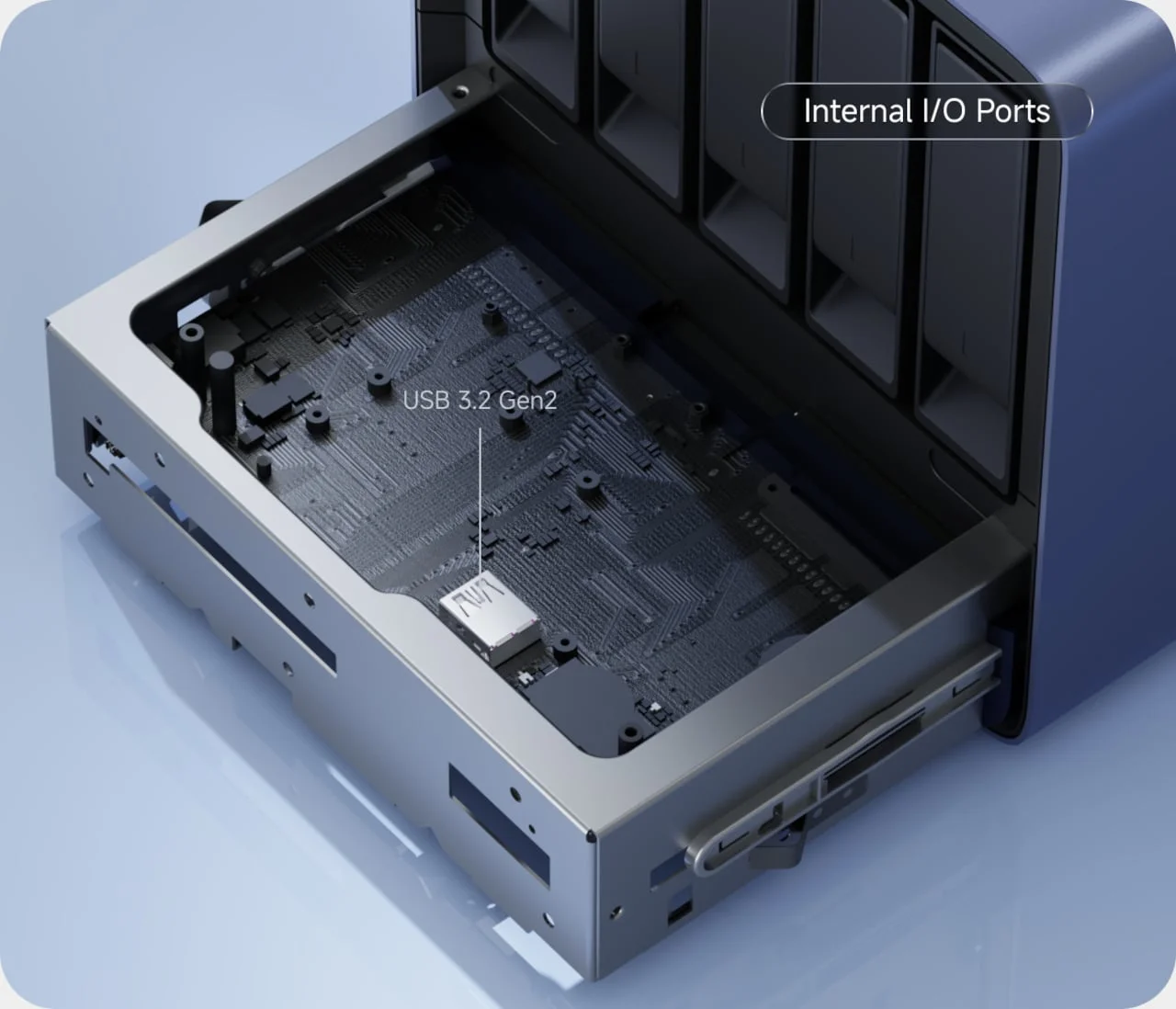
The drive trays and motherboard use separate paths: drives load from the front, while the board slides forward from underneath. Minisforum carried this arrangement over from the earlier N5 Air. That continuity suggests the slide-out board is a considered part of the design, rather than an incidental feature, and it gives owners access to core components without taking apart the full enclosure.
Easy access can make a difference over the life of a NAS. A system used for storage may later be asked to run services or applications, and those changes can make memory or other internal components more relevant. The board’s slide-out assembly gives owners a more direct way to work inside the machine; it doesn’t, by itself, establish how simple every upgrade will be, but it does address a common frustration with compact hardware: reaching the parts that need attention.
At the center is a six-core AMD Ryzen 5 7640HS processor with 12 threads. Two replaceable DDR5 slots support up to 96GB of memory, leaving room to increase capacity as workloads grow. That flexibility could matter if the NAS moves beyond storing family photos and starts hosting more applications or virtual machines. If you're working in this space, the useful question is whether those added workloads are part of your actual plan, since extra memory headroom has less value when the device is only serving files.
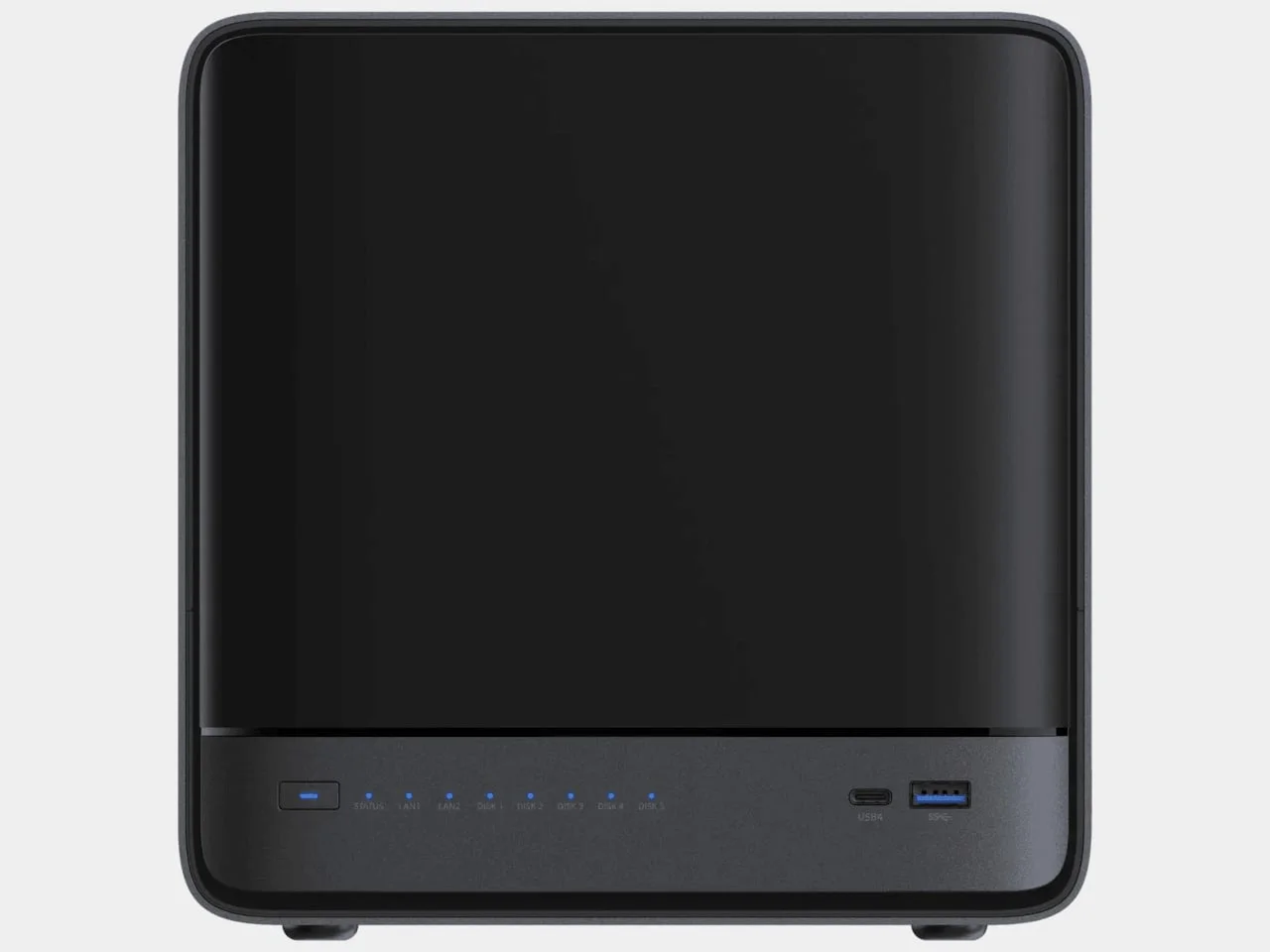
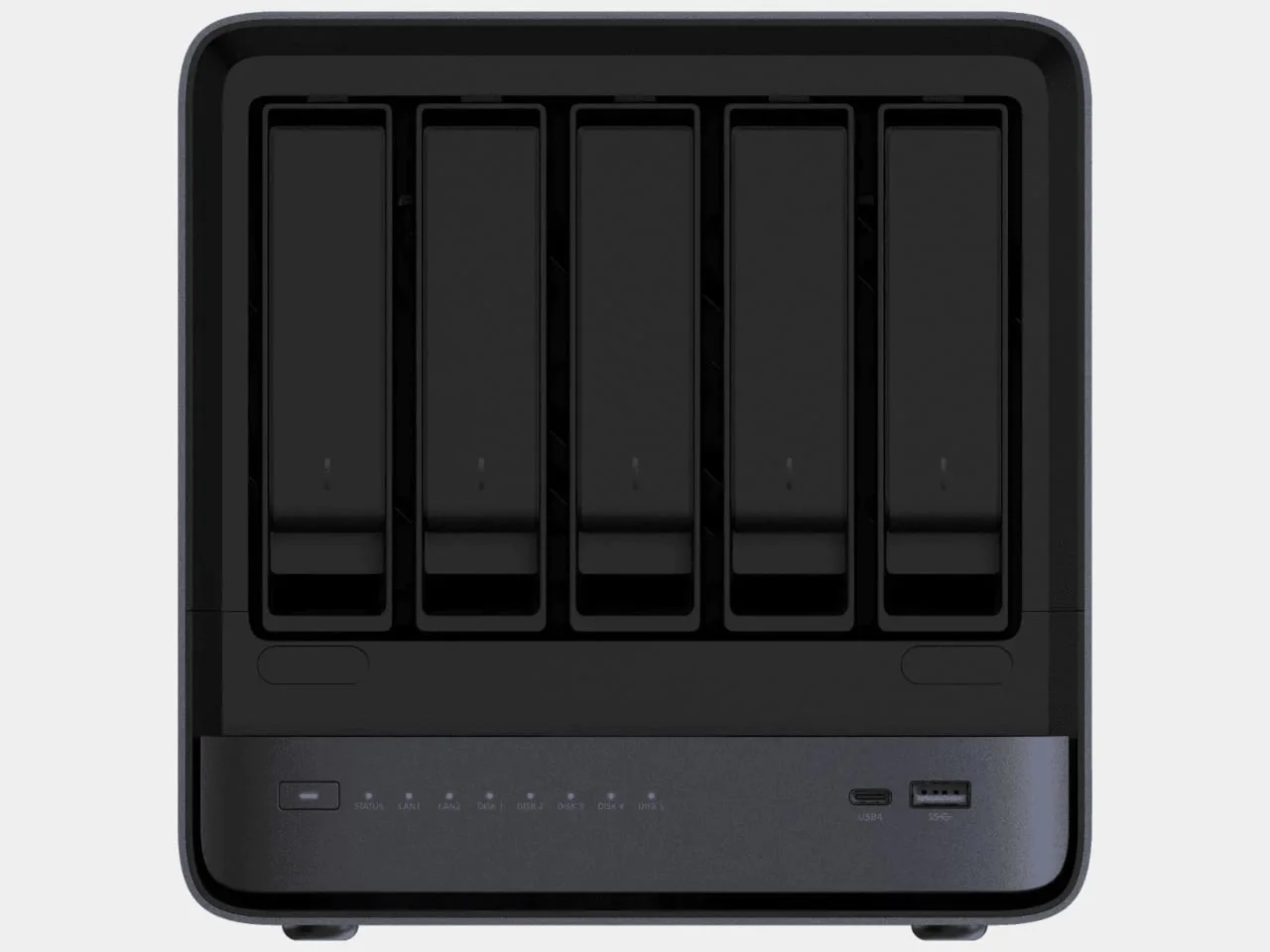
Five SATA bays handle bulk storage, while three M.2 slots take solid-state drives. Minisforum advertises a combined maximum of 174TB. That’s a raw capacity figure, before accounting for redundancy, and one M.2 position is already occupied by the included 64GB system drive. In practice, a buyer’s usable space will depend on the drives selected and how they’re configured. The headline maximum describes the enclosure’s stated capacity, not a ready-to-use storage pool.
Fast connections, with a software caveat
Two wired network ports—one 10GbE and one 5GbE—offer options for faster transfers, provided the rest of the network supports those speeds. Faster ports can help when moving large files between compatible devices, but the connection is only one part of the path. Network equipment, the other device, and the storage setup all affect what users can actually get from it.
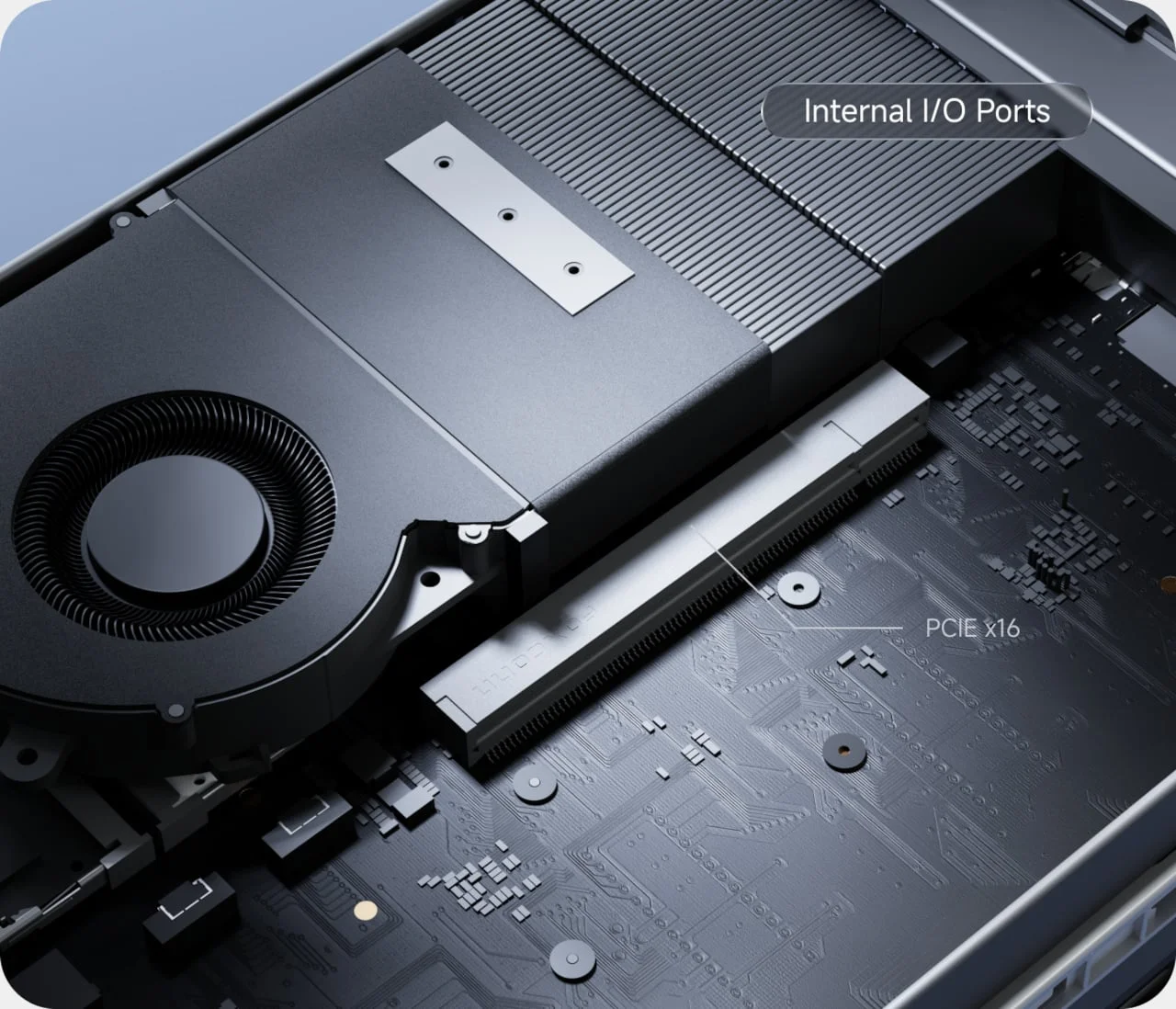
OCuLink enables external expansion, and an internal PCIe slot adds another upgrade route. The slot is physically x16-sized but operates at PCIe 4.0 x4 bandwidth, a limit to factor in when selecting hardware. The distinction between physical size and electrical bandwidth is easy to miss when scanning a specification sheet. That’s a practical constraint for anyone considering add-in hardware, and it makes checking a component’s requirements part of planning an upgrade.
MinisCloud OS includes photo organization, device backups and separate personal and shared spaces. Docker support lets owners add applications, giving the system a role beyond holding files. Those features broaden the appeal, but software quality and reliability matter as much as the hardware when a NAS is expected to keep important data available.
The main qualification is that Minisforum identifies the operating system as beta software, which may give buyers pause if they plan to rely on it for irreplaceable files. Beta status signals that the software is still under development; the source doesn’t establish how it performs in daily use or what support owners can expect. And this is the part most people overlook: a large drive pool is only useful if the software managing it meets the owner’s needs. A cautious buyer may want to weigh the included system against their own tolerance for unfinished software.
Price, setup and the trade-off
Minisforum lists the barebones version for $495, with the 64GB system drive included but no RAM or data drives. A configuration with 16GB of RAM is listed at $679. Those prices don’t include the storage drives needed to make the system a useful archive, so the final cost depends on how much capacity the buyer wants and which drives they choose.
Stock and dispatch timing haven’t been independently confirmed. That makes the listed prices a starting point for comparison, rather than a complete picture of availability or total setup cost. Buyers will also need to decide whether the included memory configuration is enough for their intended use, or whether they’ll spend more to add capacity later.
The slide-out board at least makes fitting those upgrades part of the intended setup. This is more significant than it looks: a design that gives owners a clear path to internal components can make a multi-year storage device easier to adapt as needs change. The numbers here are underwhelming if read as a finished system price, because data drives still need to be added. Here's the thing: the N5 Air’s appeal will hinge on whether buyers value its room to grow enough to accept the software’s beta status and assemble the configuration they need. A promising chassis. A software question that remains open.
What the design means for buyers
The N5 Air 7640 brings together expandable storage, replaceable memory, fast wired networking and a board that slides out for access. That combination gives it a broader brief than a simple file server, but each feature carries a condition: network speeds depend on compatible equipment, the PCIe slot has a bandwidth limit, and the operating system is still beta software.
What this means for you depends on the job you want the NAS to do. If you mainly need a place to store files, the extra expansion options may be more hardware than you’ll use. If you expect to add applications or increase capacity over time, the modular layout may be more compelling. The design makes a credible case for long-term flexibility; whether that case holds up will depend on the software experience and the total cost after drives are added.
The post Minisforum N5 Air 7640 makes room for upgrades with a slide-out motherboard first appeared on Yanko Design.


Discussion
Sign in to join the discussion.